EmailOctopus Notion Integration
Sync EmailOctopus with Notion automatically - lists, contacts, campaigns, and reports up to date, no coding needed
Free to start. No credit card required.
Trusted worldwide
500+ teams stopped copying data manually.
Yours can too.














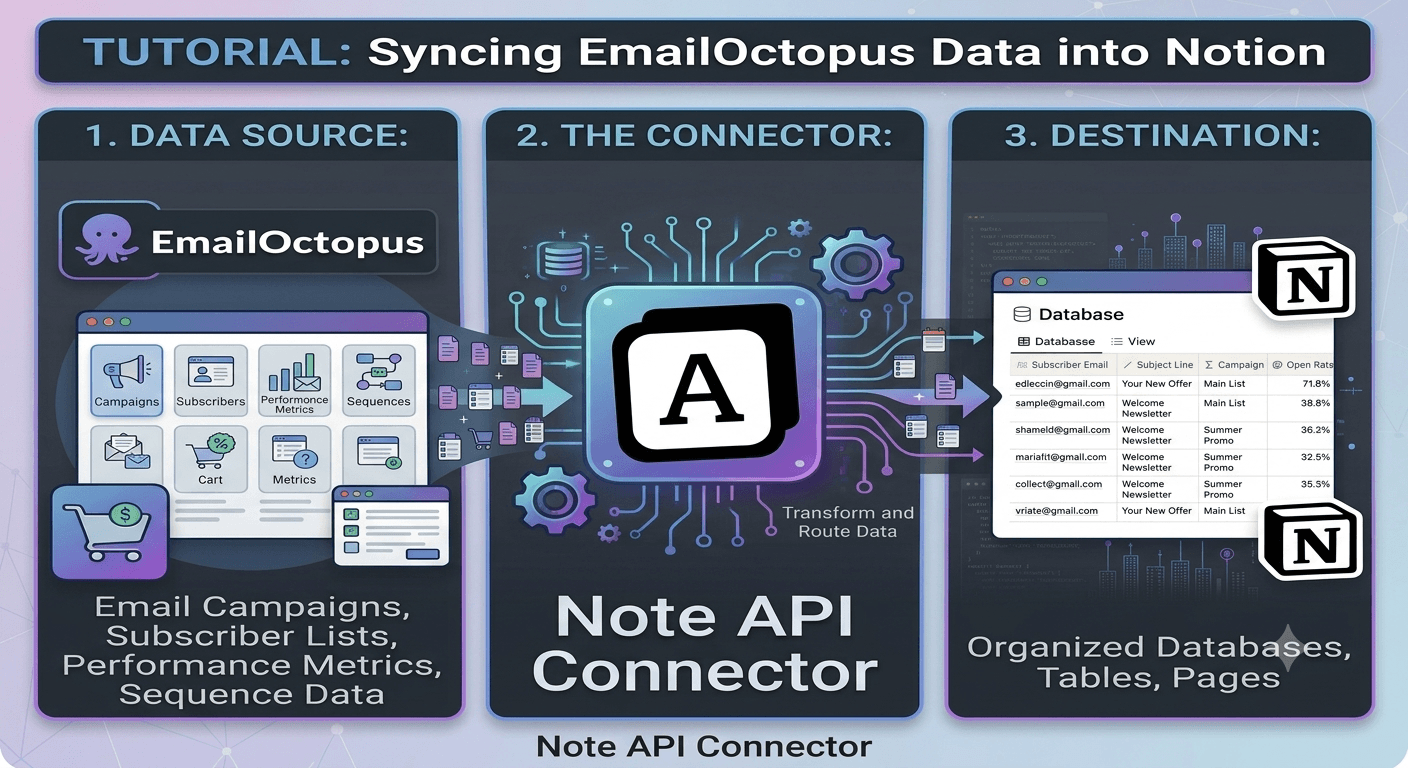
The EmailOctopus Notion integration lets you pull live email marketing data directly from your EmailOctopus account into Notion using Note API Connector. Whether you are building a subscriber database, a campaign performance dashboard, a list growth tracker, or an engagement report, this integration keeps your Notion databases in sync with EmailOctopus automatically.
With Note API Connector you can sync EmailOctopus with Notion on a fully automated schedule (hourly, daily, or at custom intervals) without writing a single line of code. Connect your EmailOctopus API key, choose a Notion database, map the list, contact, and campaign fields visually, and your EmailOctopus data flows into Notion on autopilot from that point forward.
How to connect EmailOctopus to Notion
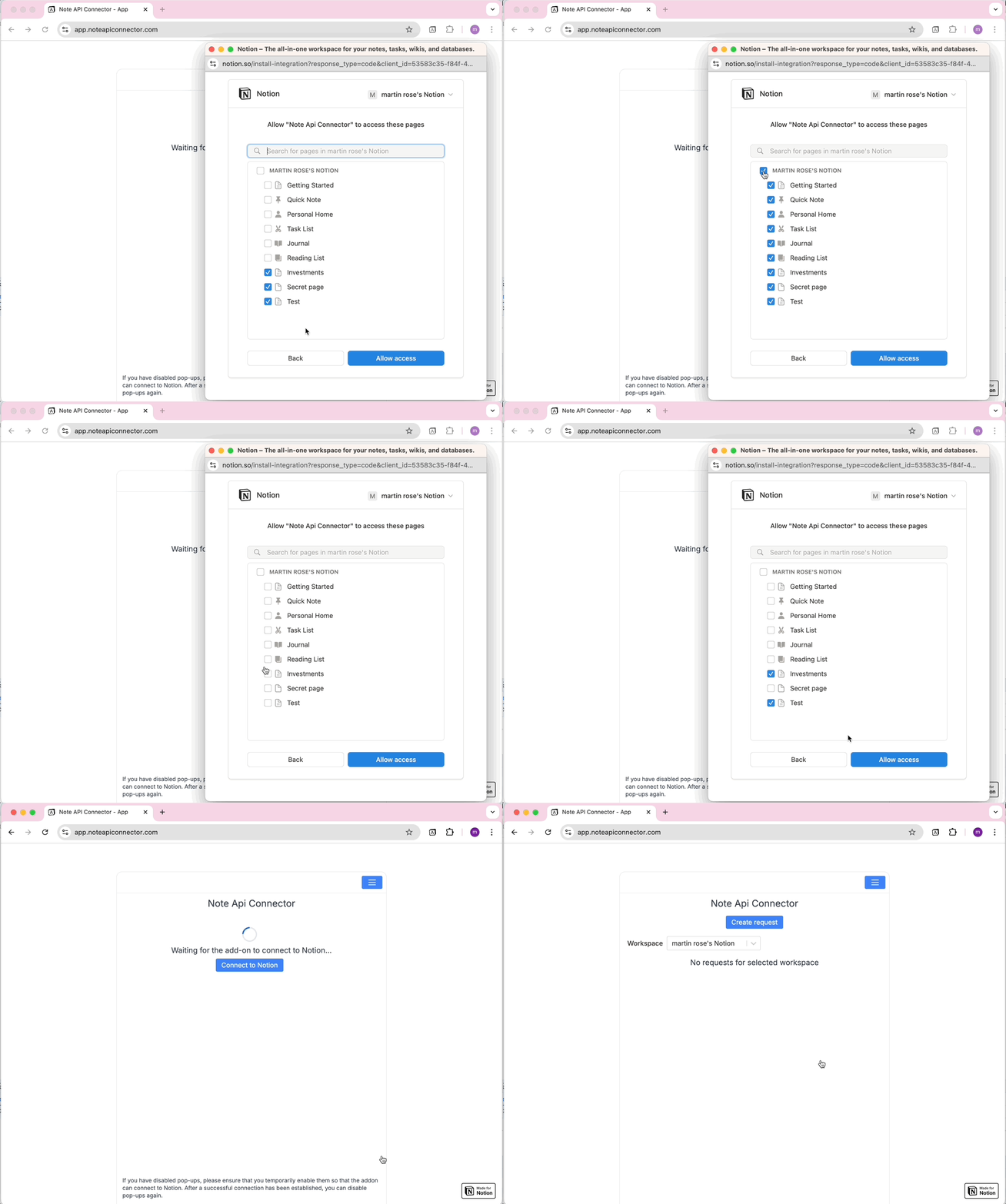
Connect your Notion workspace
Click Connect to Notion, authorize Note API Connector, and select the pages and workspace where your EmailOctopus data should appear.
Get your EmailOctopus API key and connect
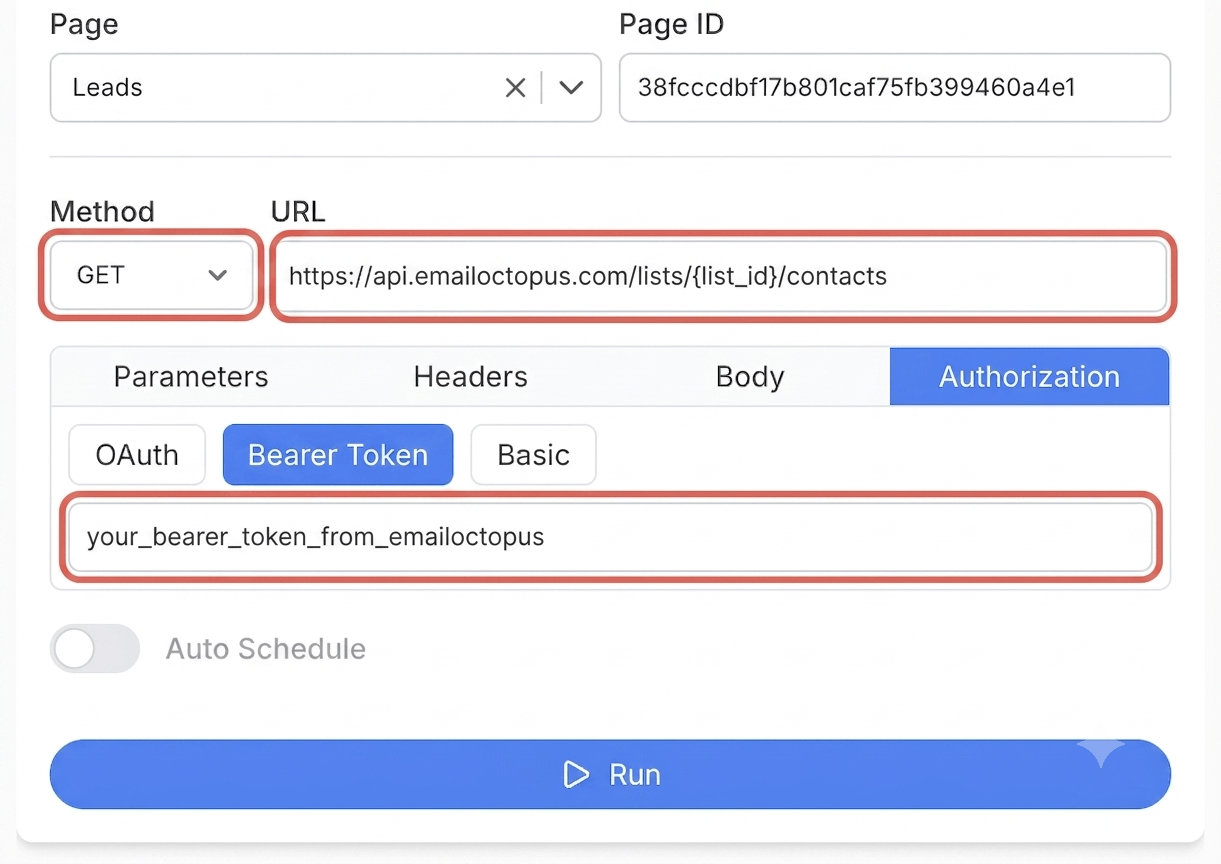
In EmailOctopus, click your profile icon in the top right, open Integrations & API, and click Manage. Click Add key, give it a name, and click Create. Copy the key right away, since EmailOctopus only shows it once. In Note API Connector, click Create Request, paste your EmailOctopus API endpoint URL, for example https://api.emailoctopus.com/lists, and add the key under the Authorization tab as a Bearer Token. Give your request a name, then click Run.
Choose your data and map fields
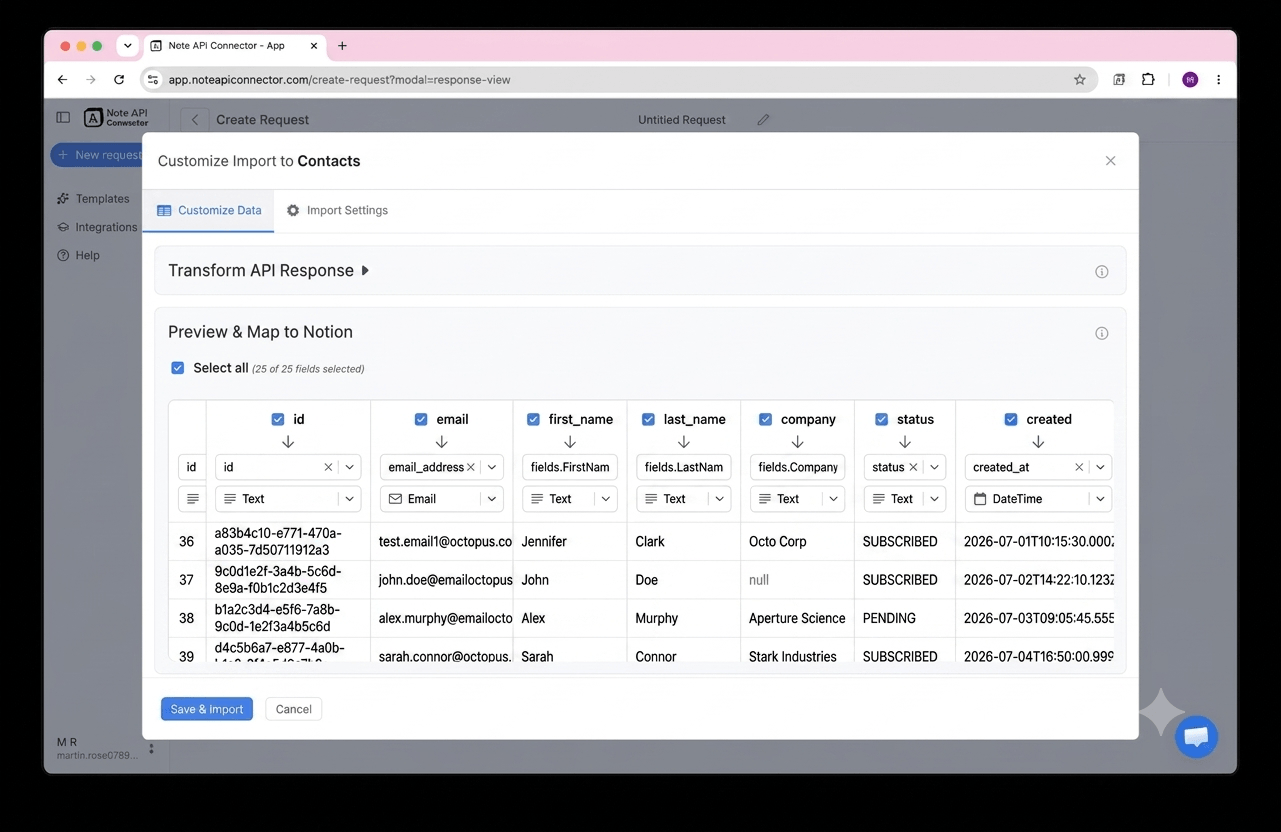
In the Response Field Mapping screen, select which EmailOctopus fields to include - such as contact email, subscription status, campaign subject, or open rate - and map each one to a Notion property. You can match existing properties, create new ones, or set the field type. Click Save & Import when you're done.
Set your sync schedule and go live
Enable Auto Schedule and choose your refresh interval. Your EmailOctopus data will sync with Notion automatically from that point forward, with no manual refreshes needed.
⏱ Hourly / Daily / Custom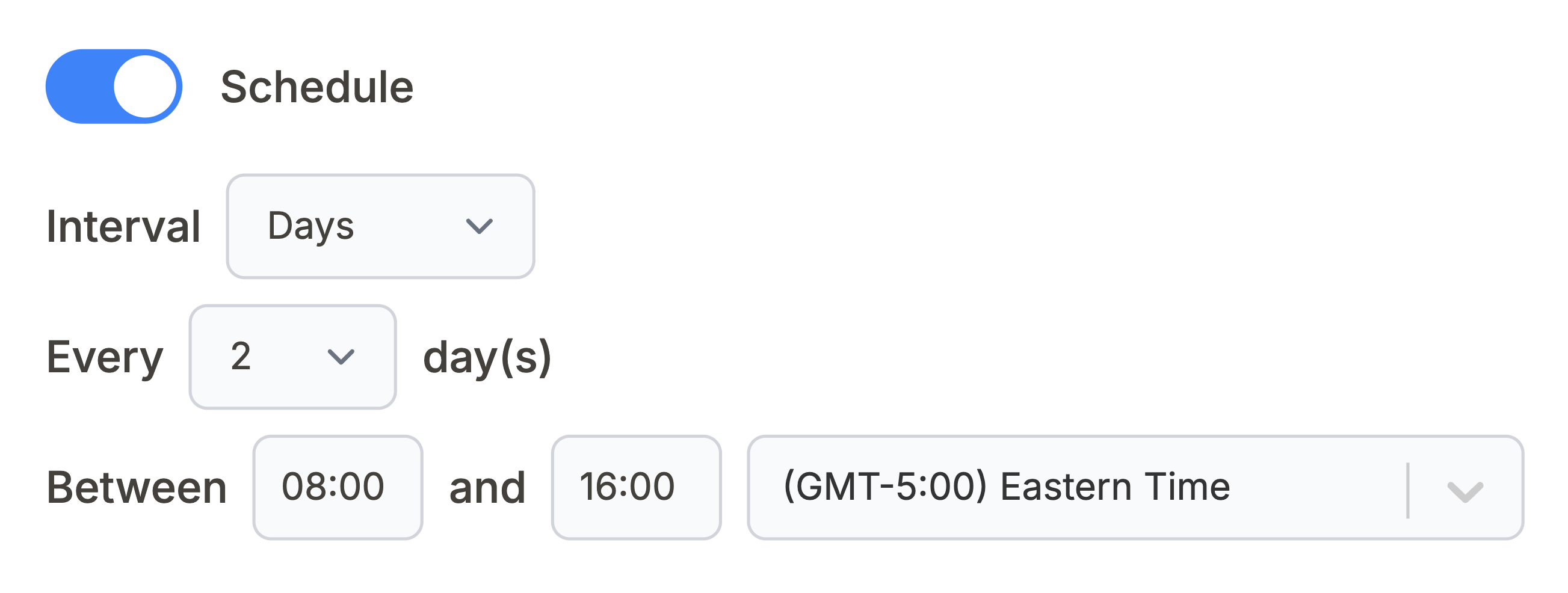
What EmailOctopus data can you sync with Notion?
Use these EmailOctopus API endpoints directly in Note API Connector. Each one can be mapped to a separate Notion database.
All your EmailOctopus lists with name, contact counts, and creation date. Use a list ID from here to pull that list's contacts into Notion.
https://api.emailoctopus.com/lists
Subscribers on a specific list with email, subscription status, tags, and custom fields. Build a searchable subscriber database inside Notion. Replace {list_id} with an ID from the Lists endpoint.
https://api.emailoctopus.com/lists/{list_id}/contacts
All your email campaigns with subject line, status, and send date. Build a campaign history log directly inside Notion.
https://api.emailoctopus.com/campaigns
Aggregated performance data for one campaign, including opens, clicks, bounces, and unsubscribes. Track email performance in a Notion dashboard. Replace {campaign_id} with an ID from the Campaigns endpoint.
https://api.emailoctopus.com/campaigns/{campaign_id}/reports/summary
Click data broken down by individual link for one campaign. See which links perform best directly inside Notion. Replace {campaign_id} with an ID from the Campaigns endpoint.
https://api.emailoctopus.com/campaigns/{campaign_id}/reports/links
See how it works
Why sync EmailOctopus with Notion?
Always up to date
Scheduled sync runs automatically. Your Notion database reflects live EmailOctopus data without any manual work.
No coding required
Point, click, and map fields. Connect EmailOctopus to Notion in minutes without any programming knowledge.
Custom schedule
Choose hourly, daily, or custom intervals. You control exactly when Notion pulls fresh data from EmailOctopus.
Conclusion
With Note API Connector, setting up a complete EmailOctopus Notion integration takes minutes, not days. Your lists, contacts, and campaign data sync automatically into Notion on your chosen schedule, with no code and no manual copy and paste.
Whether you are building a live subscriber database, a campaign performance dashboard, or a link click report, connecting EmailOctopus to Notion gives you the flexibility of Notion's interface with the accuracy of your email marketing data.
Frequently Asked Questions
Yes. EmailOctopus provides a REST API (v2) that exposes lists, contacts, campaigns, and campaign reports. Note API Connector connects to this API using a Bearer token to pull your EmailOctopus data into Notion on a scheduled basis.
In EmailOctopus, open Integrations & API from your profile menu, click Manage, then Add key to generate an API key. In Note API Connector, connect your Notion workspace, click Create Request, paste an EmailOctopus API endpoint URL, and add your key under the Authorization tab as a Bearer Token. Select your Notion database, map the fields, and run the import.
Yes. Enable Auto Schedule in Note API Connector and choose your refresh interval: hourly, daily, or custom. Your EmailOctopus data will sync into Notion automatically on that schedule with no manual action required.
Run a request against the Lists or Campaigns endpoint first and look at the id field in each returned record. Copy that ID and paste it into the {list_id} or {campaign_id} placeholder of the contacts or report endpoint URL to pull data for that specific list or campaign.
Yes. The List Contacts endpoint accepts query parameters such as status (subscribed, unsubscribed, or pending), tag, and created_at date ranges. Add these under the Parameters tab in Note API Connector to only import the contacts you need.
Yes. EmailOctopus allows up to 10 requests per second using a token bucket with a capacity of 100 requests. Note API Connector's scheduled syncs stay well within this limit for typical hourly or daily refreshes.
No. Note API Connector is a no-code tool. You paste your EmailOctopus API endpoint URL, add your Bearer token, select your Notion database, and map fields visually. No programming knowledge is needed.
Yes. Your EmailOctopus API key is only used in the requests you configure to retrieve data. Note API Connector does not use your key to send campaigns, add contacts, or make any changes to your EmailOctopus account.