ConnectWise Manage Notion Integration
Sync ConnectWise Manage with Notion automatically - tickets, companies, and projects always up to date, no coding needed
Free to start. No credit card required.
Trusted worldwide
500+ teams stopped copying data manually.
Yours can too.














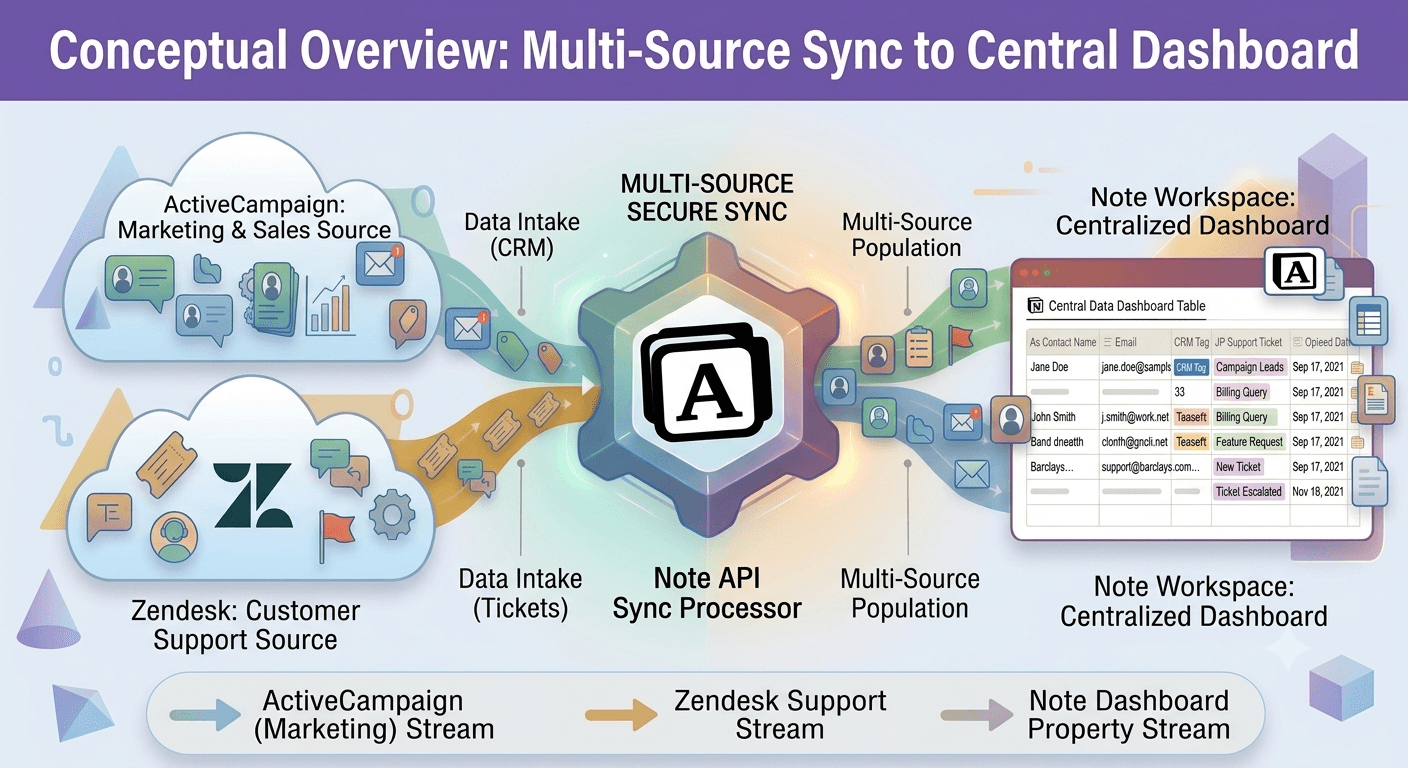
The ConnectWise Manage Notion integration lets you pull live PSA data directly out of your ConnectWise Manage account and into Notion using Note API Connector. Whether you are tracking service tickets, maintaining a client company directory, logging billable time entries, or monitoring projects and agreements, this integration keeps your Notion databases in sync with ConnectWise Manage automatically.
With Note API Connector you can sync ConnectWise Manage with Notion on a fully automated schedule (hourly, daily, or at custom intervals) without writing a single line of code. Connect your ConnectWise Manage API keys, choose a Notion database, map the ticket and company fields visually, and your data flows into Notion on autopilot from that point forward.
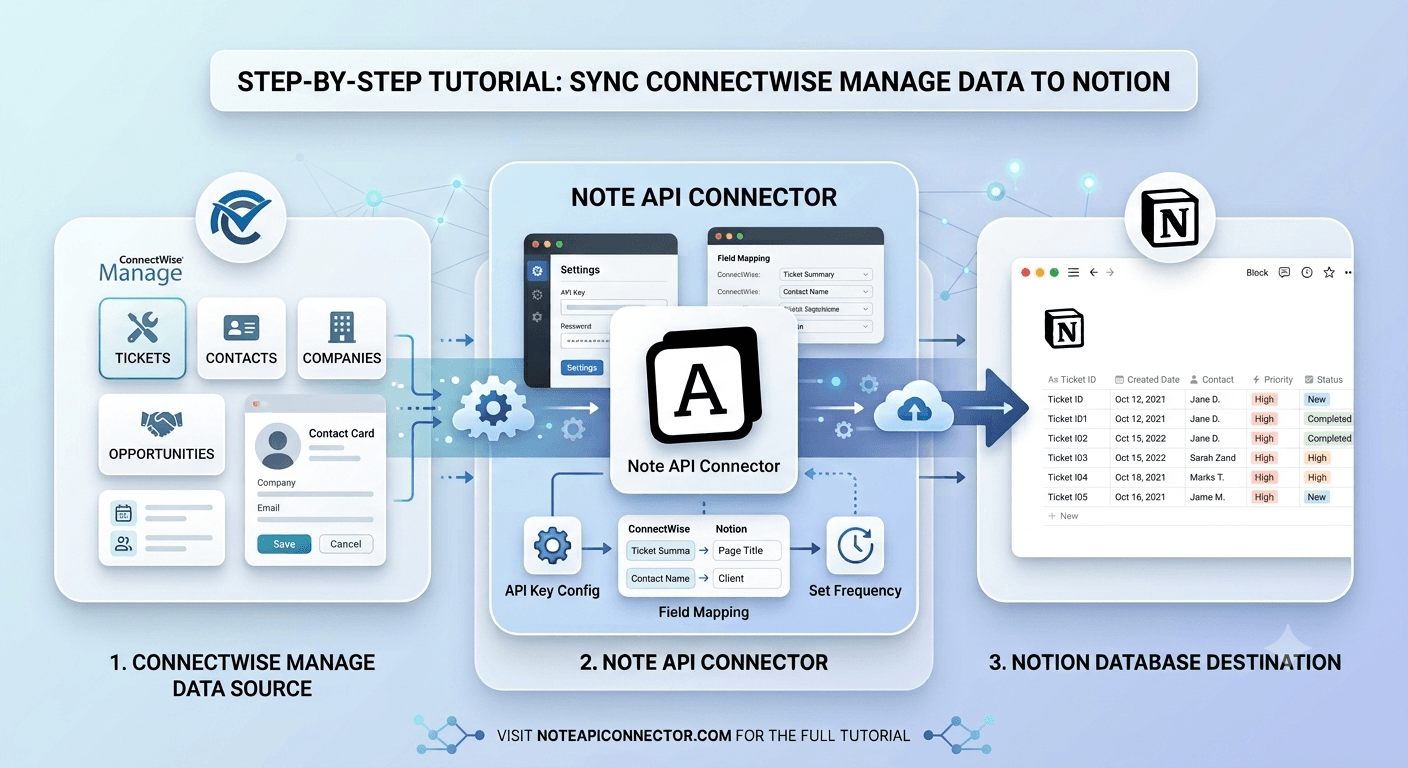
How to connect ConnectWise Manage to Notion
Connect your Notion workspace
Click Connect to Notion, authorize Note API Connector, and select the pages and workspace where your ConnectWise Manage data should appear.
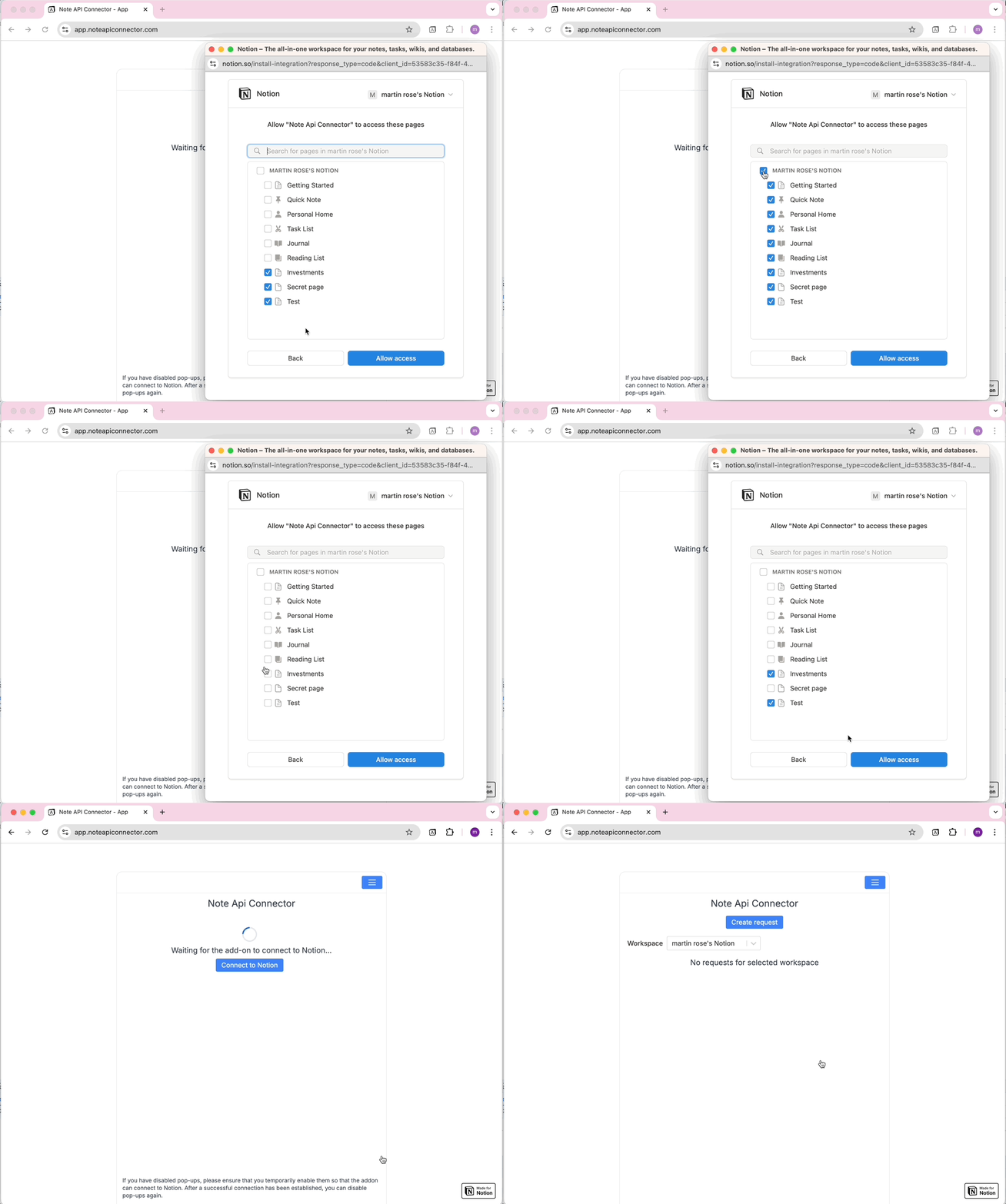
Get your ConnectWise Manage API keys and a Client ID
In ConnectWise Manage, open System > Members, select your API member, go to the API Keys tab, and click the plus icon to generate a Public Key and Private Key. Then register a free Client ID at developer.connectwise.com/ClientID. ConnectWise Manage uses standard Basic authentication, but the username is a compound value. In Note API Connector, open the Authorization tab, select Basic, enter YourCompanyId+PublicKey as the Username, and your Private Key as the Password. Then open the Headers tab and add a header named clientId set to the Client ID you registered, ConnectWise Manage rejects every request without it.
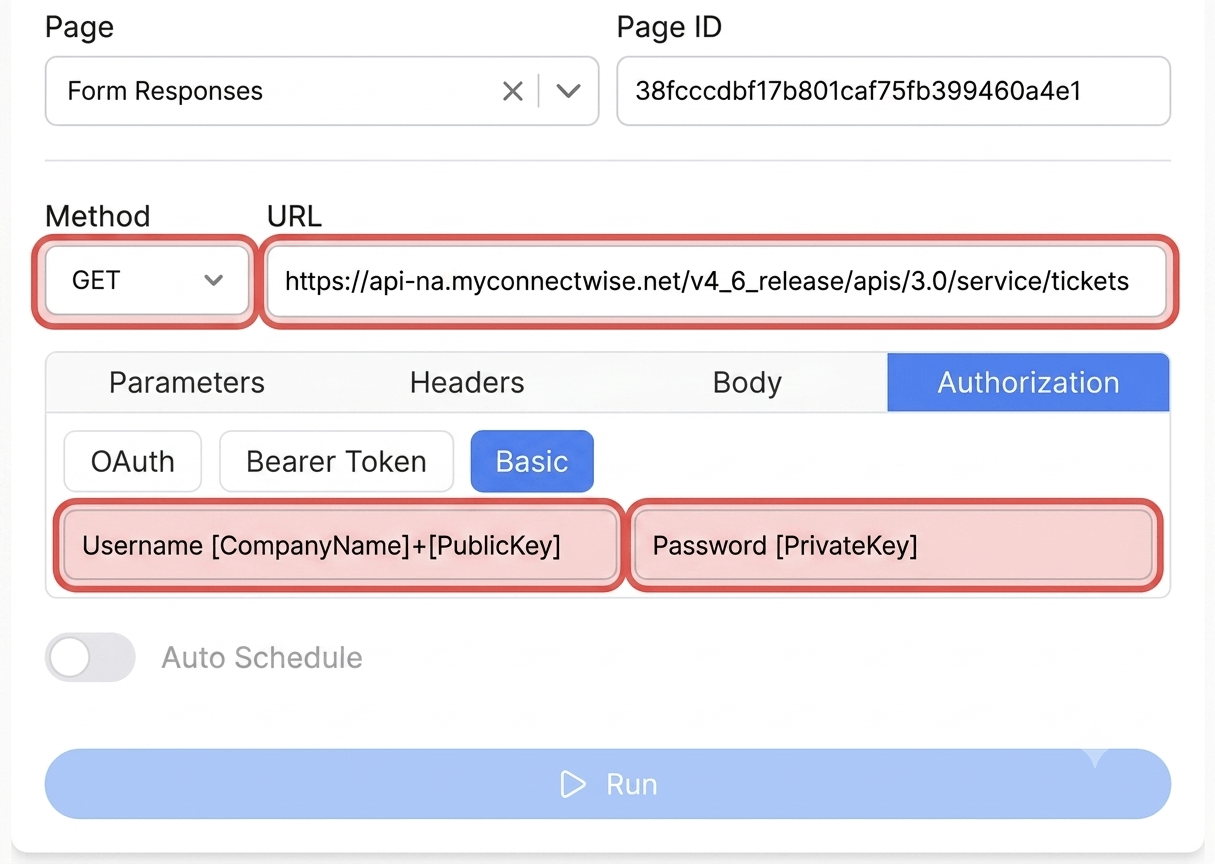
Create your request and choose your data
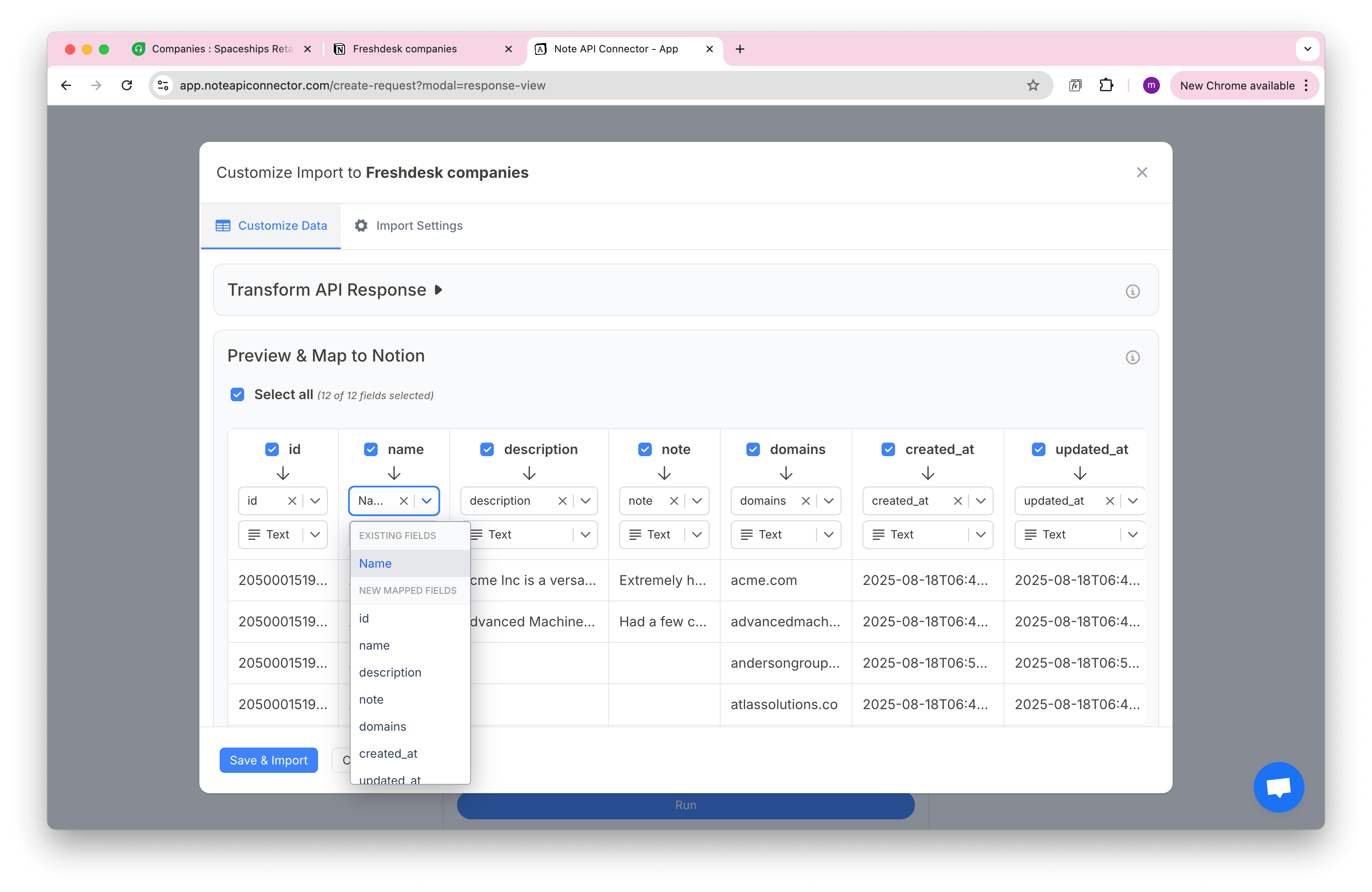
Click Create Request and paste your ConnectWise Manage endpoint URL, for example https://api-na.myconnectwise.net/v4_6_release/apis/3.0/service/tickets (swap api-na for api-eu or api-au if your instance is hosted outside North America). Give the request a name and click Run. In the Response Field Mapping screen, select which fields to include - such as ticket summary, status, company name, or time spent - and map each one to a Notion property. Click Save & Import when you're done.
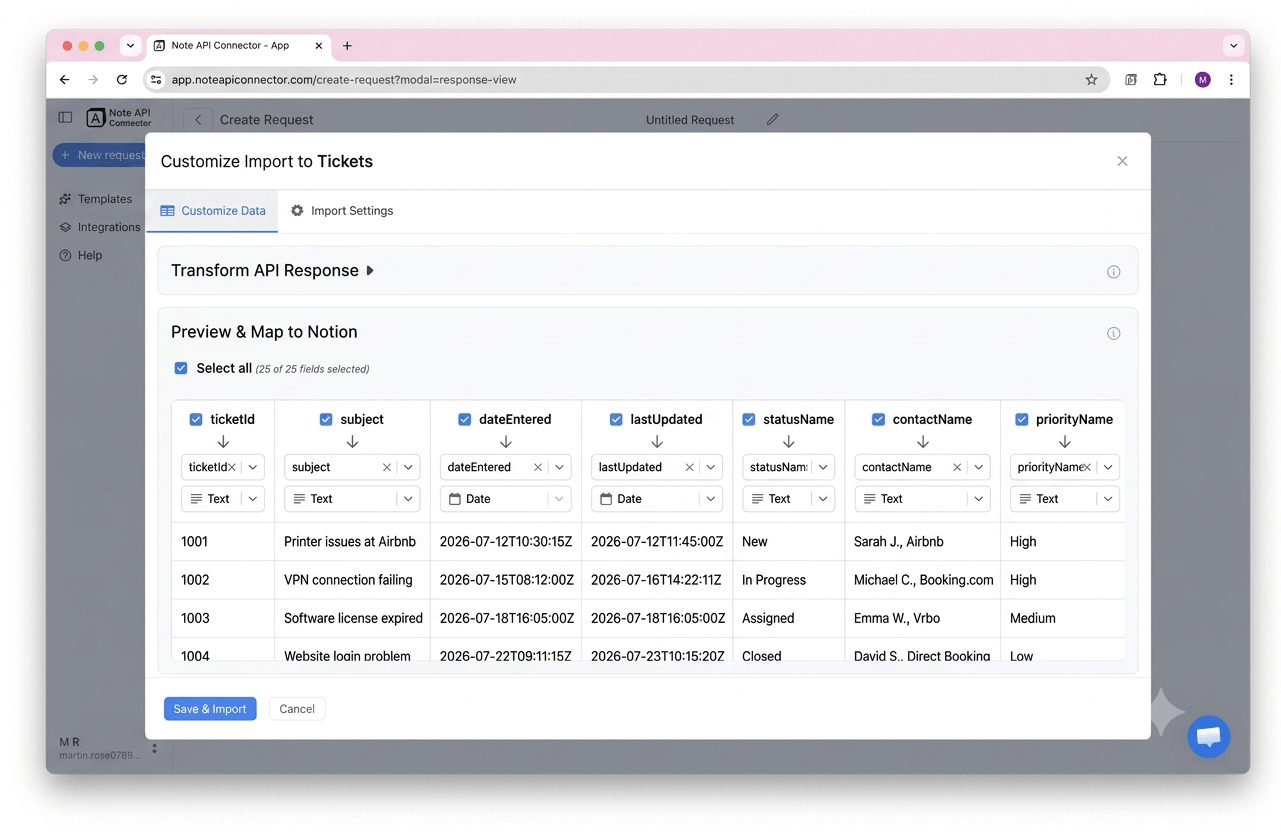
Set your sync schedule and go live
Enable Auto Schedule and choose your refresh interval. Your ConnectWise Manage data will sync with Notion automatically from that point forward, with no manual refreshes needed.
⏱ Hourly / Daily / Custom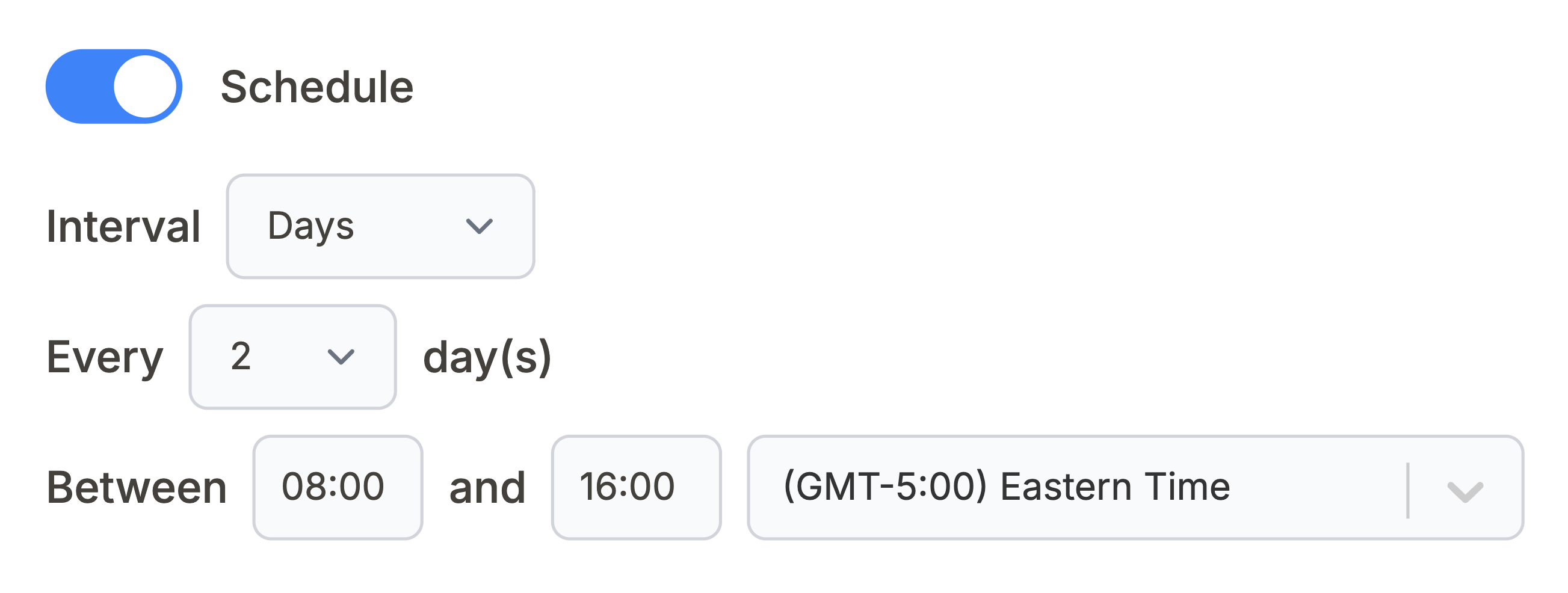
What ConnectWise Manage data can you sync with Notion?
Use these ConnectWise Manage API endpoints directly in Note API Connector. Each one can be mapped to a separate Notion database.
All help desk tickets with summary, status, board, priority, and linked company. Build a live support queue or SLA tracker inside Notion.
https://api-na.myconnectwise.net/v4_6_release/apis/3.0/service/tickets
All client companies with name, status, type, and account details. Build a live client directory or account overview inside Notion.
https://api-na.myconnectwise.net/v4_6_release/apis/3.0/company/companies
All contacts linked to companies with name, title, email, and phone. Build a contact directory or cross-reference tickets by requester in Notion.
https://api-na.myconnectwise.net/v4_6_release/apis/3.0/company/contacts
All projects with name, status, manager, and scheduled dates. Track project delivery or build a portfolio dashboard inside Notion.
https://api-na.myconnectwise.net/v4_6_release/apis/3.0/project/projects
Logged time entries with member, hours, ticket or project reference, and billable status. Build a billing review or utilization tracker inside Notion.
https://api-na.myconnectwise.net/v4_6_release/apis/3.0/time/entries
Service and support agreements with name, type, company, and billing terms. Track contract renewals or coverage details inside Notion.
https://api-na.myconnectwise.net/v4_6_release/apis/3.0/finance/agreements
See how it works
Why sync ConnectWise Manage with Notion?
Always up to date
Scheduled sync runs automatically. Your Notion database reflects live ConnectWise Manage data without any manual work.
No coding required
Point, click, and map fields. Connect ConnectWise Manage to Notion in minutes without any programming knowledge.
Custom schedule
Choose hourly, daily, or custom intervals. You control exactly when Notion pulls fresh data from ConnectWise Manage.
Conclusion
With Note API Connector, setting up a complete ConnectWise Manage Notion integration takes minutes, not days. Your tickets, companies, contacts, projects, and time entries sync automatically into Notion on your chosen schedule, with no code and no manual copy-paste.
Whether you are building a live support queue dashboard, tracking billable hours across client accounts, monitoring project delivery, or giving your team a shared view of MSP operations in Notion, connecting ConnectWise Manage to Notion gives you the flexibility of Notion's interface with the real-time accuracy of ConnectWise Manage's data.
Frequently Asked Questions
Yes. ConnectWise Manage provides a REST API that exposes service tickets, companies, contacts, projects, time entries, and agreements. Note API Connector connects to this API directly using your API keys and Client ID to pull your ConnectWise Manage data into Notion on a scheduled basis.
In ConnectWise Manage, generate a Public Key and Private Key for your API member under System > Members > API Keys, and register a free Client ID at developer.connectwise.com/ClientID. In Note API Connector, connect your Notion workspace, click Create Request, and paste a ConnectWise Manage endpoint URL such as https://api-na.myconnectwise.net/v4_6_release/apis/3.0/service/tickets. Select Basic authorization with CompanyId+PublicKey as the username and your Private Key as the password, add a clientId header, select your Notion database, map the fields visually, and run the import.
ConnectWise Manage uses standard HTTP Basic authentication, but the username is a compound value built from your Company ID and Public Key in the format CompanyId+PublicKey, with your Private Key as the password. Every request also needs a clientId header containing a Client ID you register separately at developer.connectwise.com. In Note API Connector you set the username and password on the Basic authorization tab and add clientId as a manual header.
Yes. Enable Auto Schedule in Note API Connector and choose your refresh interval: hourly, daily, or custom. Your ConnectWise Manage data will sync with Notion automatically on that schedule with no manual action required.
You can sync service tickets, companies, contacts, projects, time entries, and agreements. Each ConnectWise Manage endpoint can be mapped to a separate Notion database, so you can build a full support queue, client directory, and project tracker all in one Notion workspace.
No. Note API Connector is a no-code tool. You paste your ConnectWise Manage API endpoint URL, enter your API keys under Basic authorization, add the clientId header, select your Notion database, and map fields visually using the response field mapping view. No programming knowledge is needed.
Yes. Note API Connector connects to ConnectWise Manage using your API keys for read-only data requests. Note API Connector never writes or modifies any data in your ConnectWise Manage account.