Ahrefs Notion Integration: Import Ahrefs SEO Data into Notion
Your keyword rankings, backlinks, and domain metrics live in Ahrefs, but your team plans and reports in Notion. Copy-pasting numbers between the two gets old fast. A direct Ahrefs Notion integration closes that gap. You can pull live Ahrefs data straight into a Notion database and build rank trackers, backlink monitors, and competitor dashboards everyone can see. In this guide you’ll learn how to import Ahrefs data into Notion with Note API Connector, no coding required, and how to keep it refreshing automatically.
Getting started with Note API Connector
Start syncing your data to Notion in just a few clicks. Connect your Notion workspace, grant the necessary permissions, and you’re ready to create powerful API-based automations, no coding required.
👉 Follow the official setup guide to get started in minutes.
Generate your Ahrefs API Key
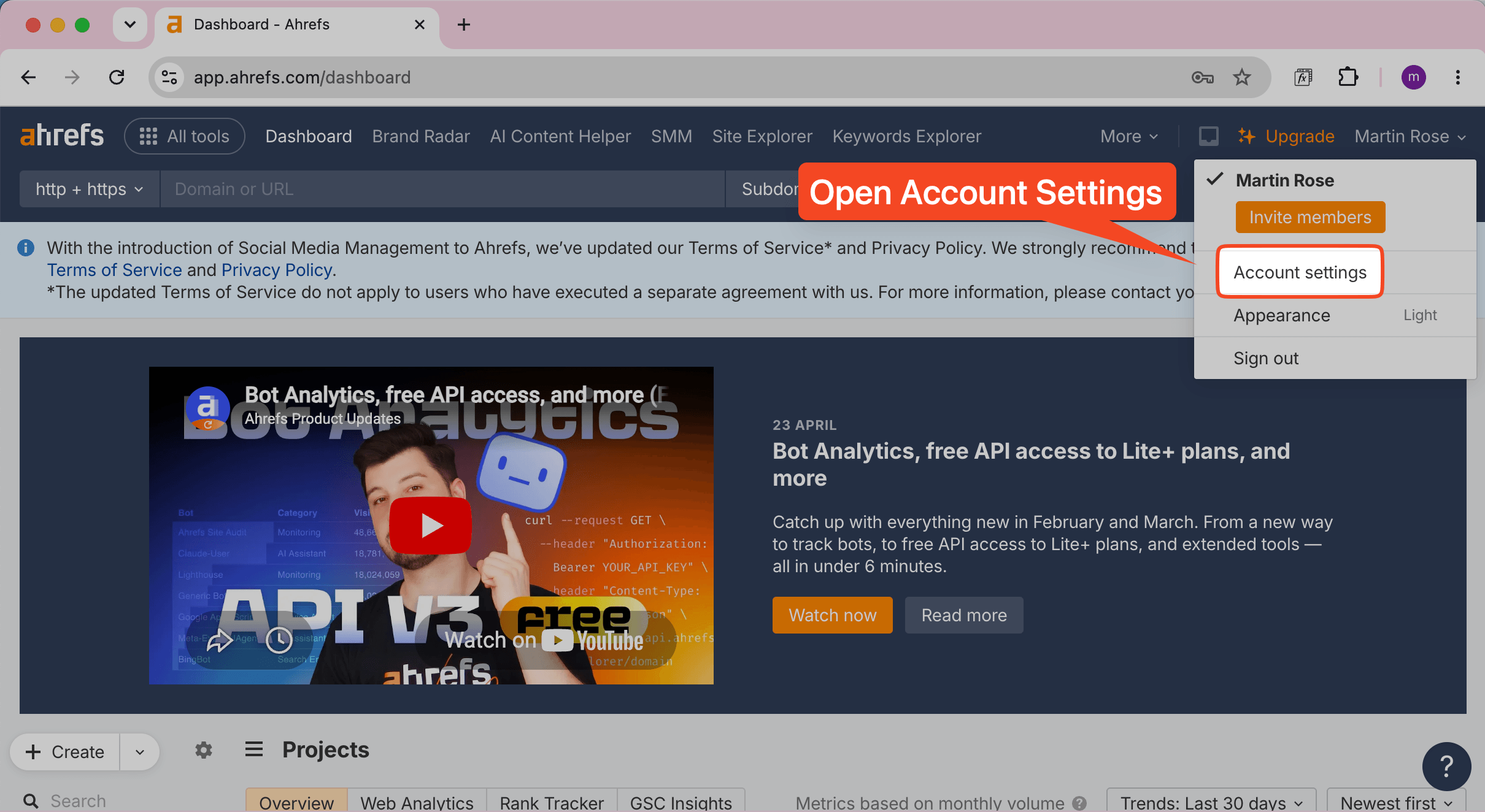
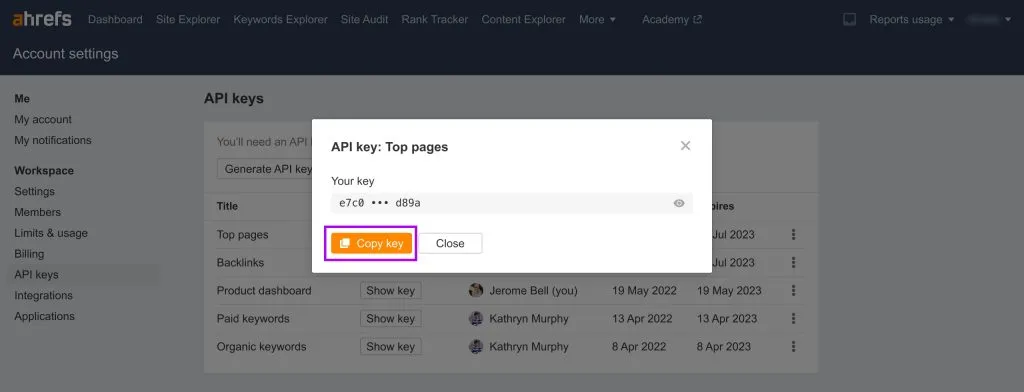
To import Ahrefs data into Notion securely, you’ll first need an Ahrefs API key. Log in to your Ahrefs dashboard, click your name in the top-right corner, and choose Account settings.
In the left sidebar under Workspace, open API keys, then click Generate API key.
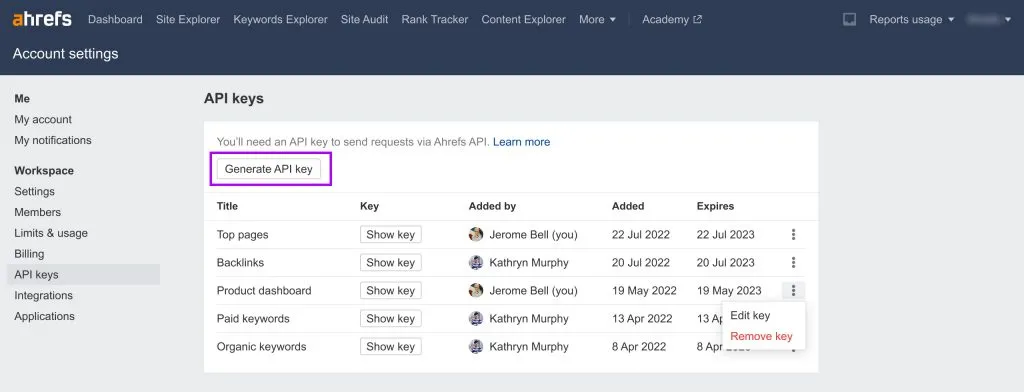
Reveal the key and click Copy key. Keep it somewhere safe — you’ll paste it into Note API Connector in a moment.
Import Ahrefs Data into Notion
Ahrefs serves its data through the Ahrefs API v3 (base URL https://api.ahrefs.com/v3/). You can
browse every endpoint in the
Ahrefs API documentation, but the quickest way to start is with one of Note API Connector’s prefilled
Ahrefs templates.
Start from an Ahrefs Template
Open Note API Connector and click Create request. Then open Templates in the left sidebar, choose Ahrefs, and pick Organic keywords or different request.
You’ll find a template for almost every report — Domain metrics, Domain Rating, Backlink totals, Referring domains, Backlinks, Top pages, Page Explorer (Site Audit) and Compare domains. We’ll use Organic keywords for this walkthrough, but the steps are identical for any of them.
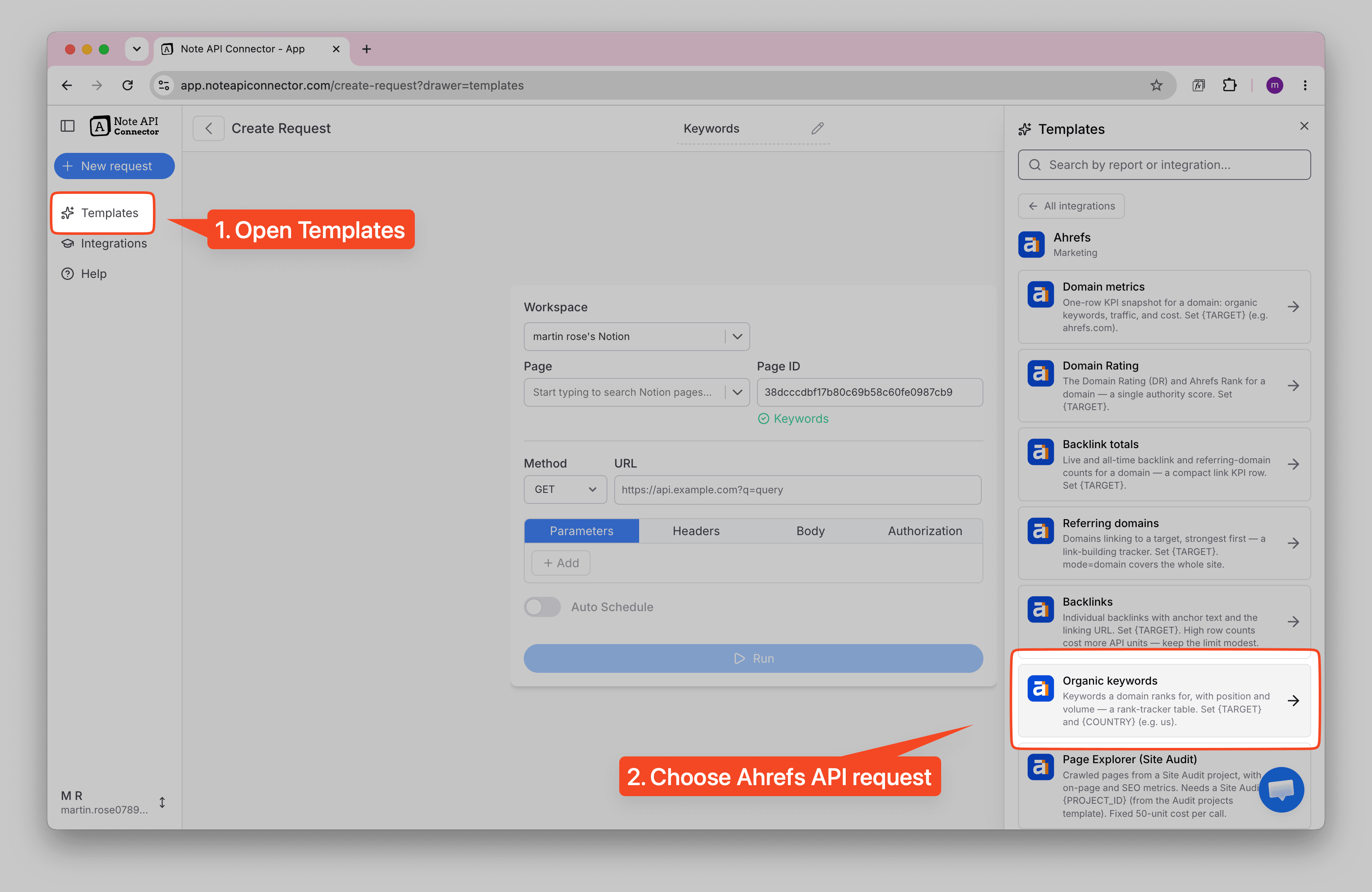
The template drops the correct endpoint and parameters straight into the URL field for you.
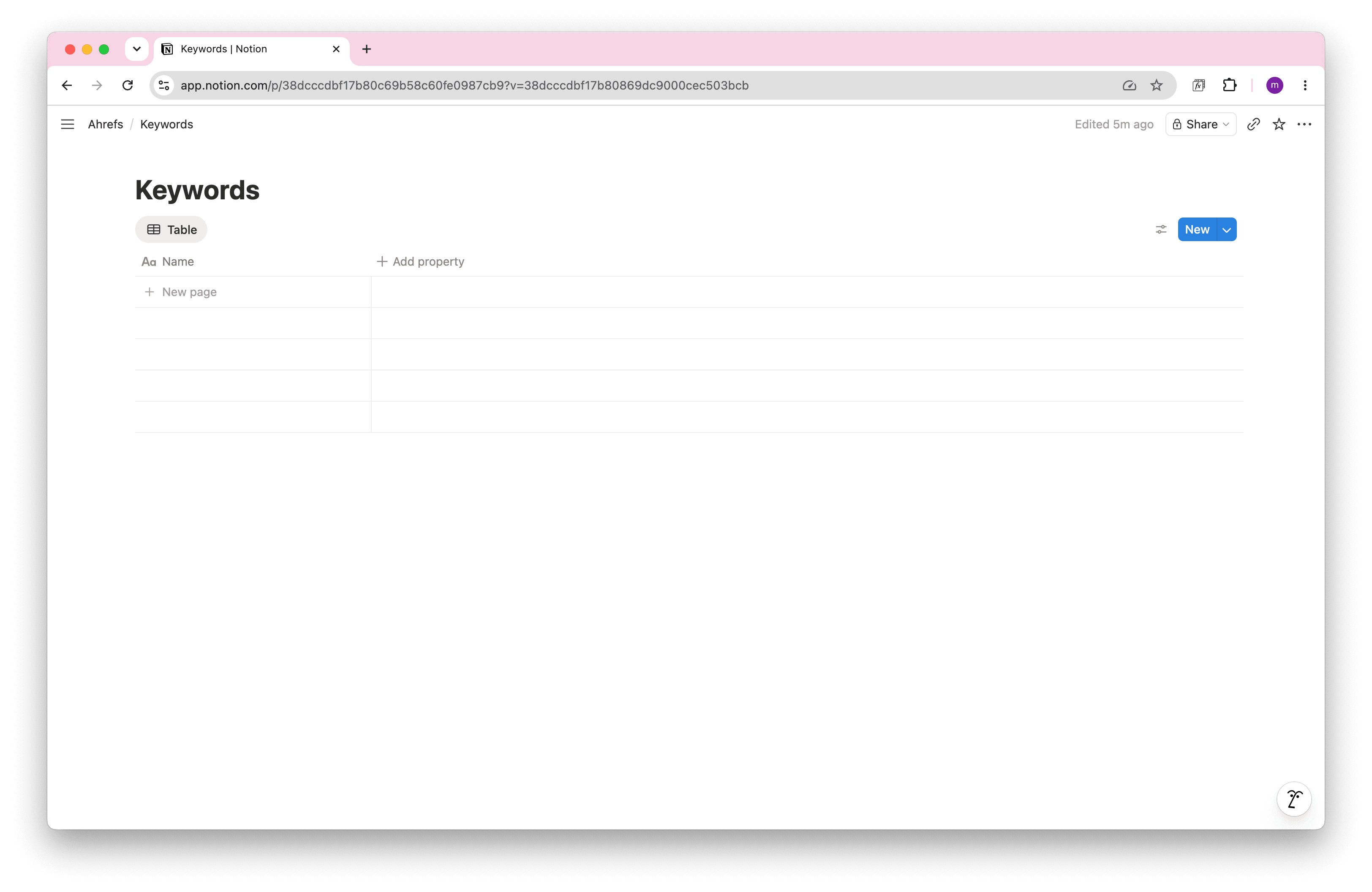
Next, create the Notion database where the data will land. In this example it’s a database called Keywords with just a Name column — Note API Connector adds the remaining columns for you during mapping. Back in the request, pick your Notion workspace and select that Keywords database as the destination.
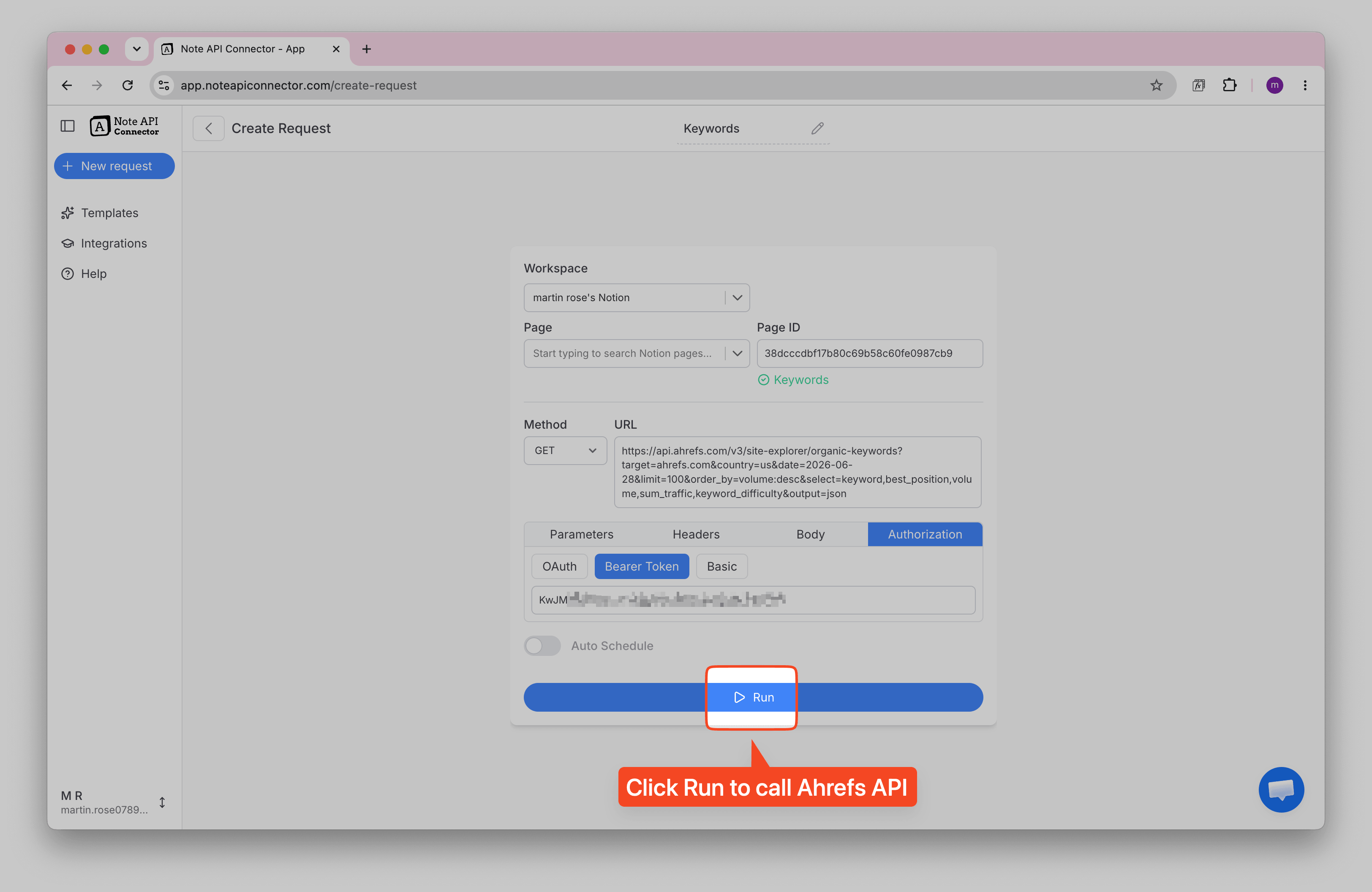
Set Your Target and Country
The Organic keywords template uses two placeholders: {TARGET} and
{COUNTRY}. Replace {TARGET} with the domain you want to analyse (for example
ahrefs.com) and {COUNTRY} with a two-letter country code (for example
us).
Then open Authorization → Bearer Token and paste the Ahrefs API key you copied earlier.
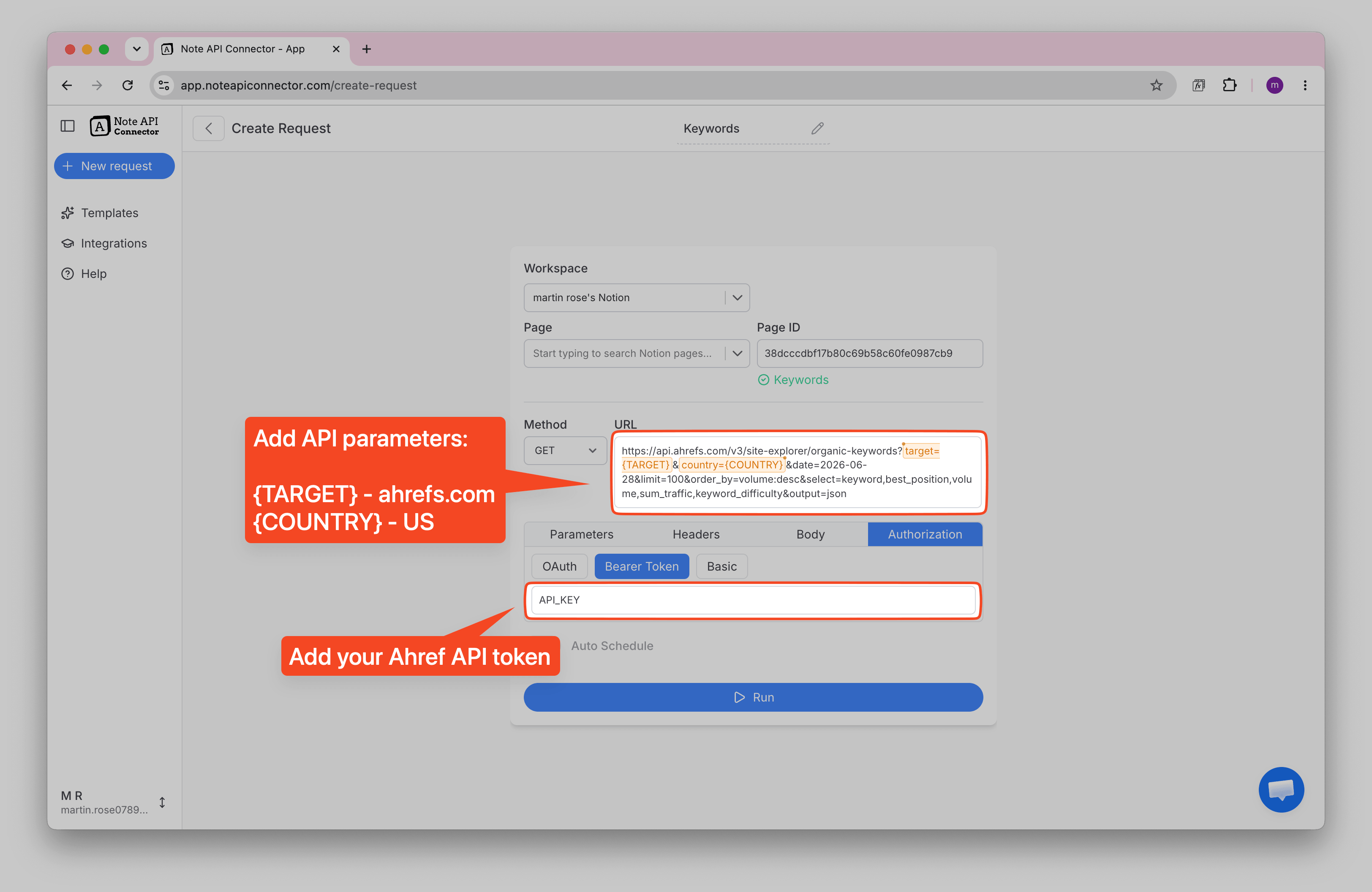
Click Run to call the Ahrefs API.
Map the Response to Notion
Note API Connector shows a live preview of the keywords it pulled back in the
Response Field Mapping view. Map each field to a Notion property: keyword → Name (the page title),
and best_position, volume, sum_traffic and
keyword_difficulty to their own columns.
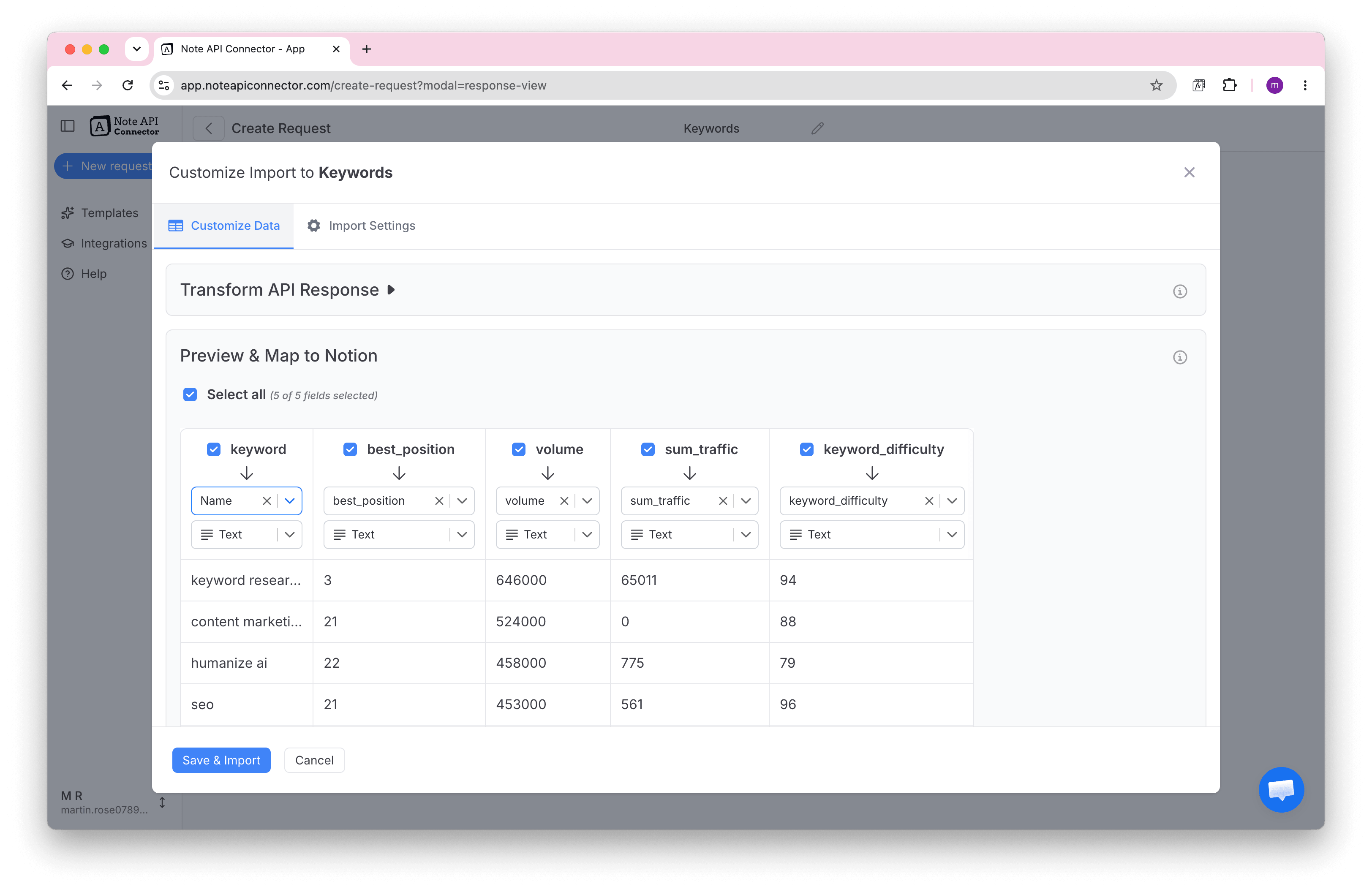
💡 Tip: set the numeric columns (best_position, volume, sum_traffic,
keyword_difficulty) to Notion’s Number type if you want to sort, filter, or
roll them up later.
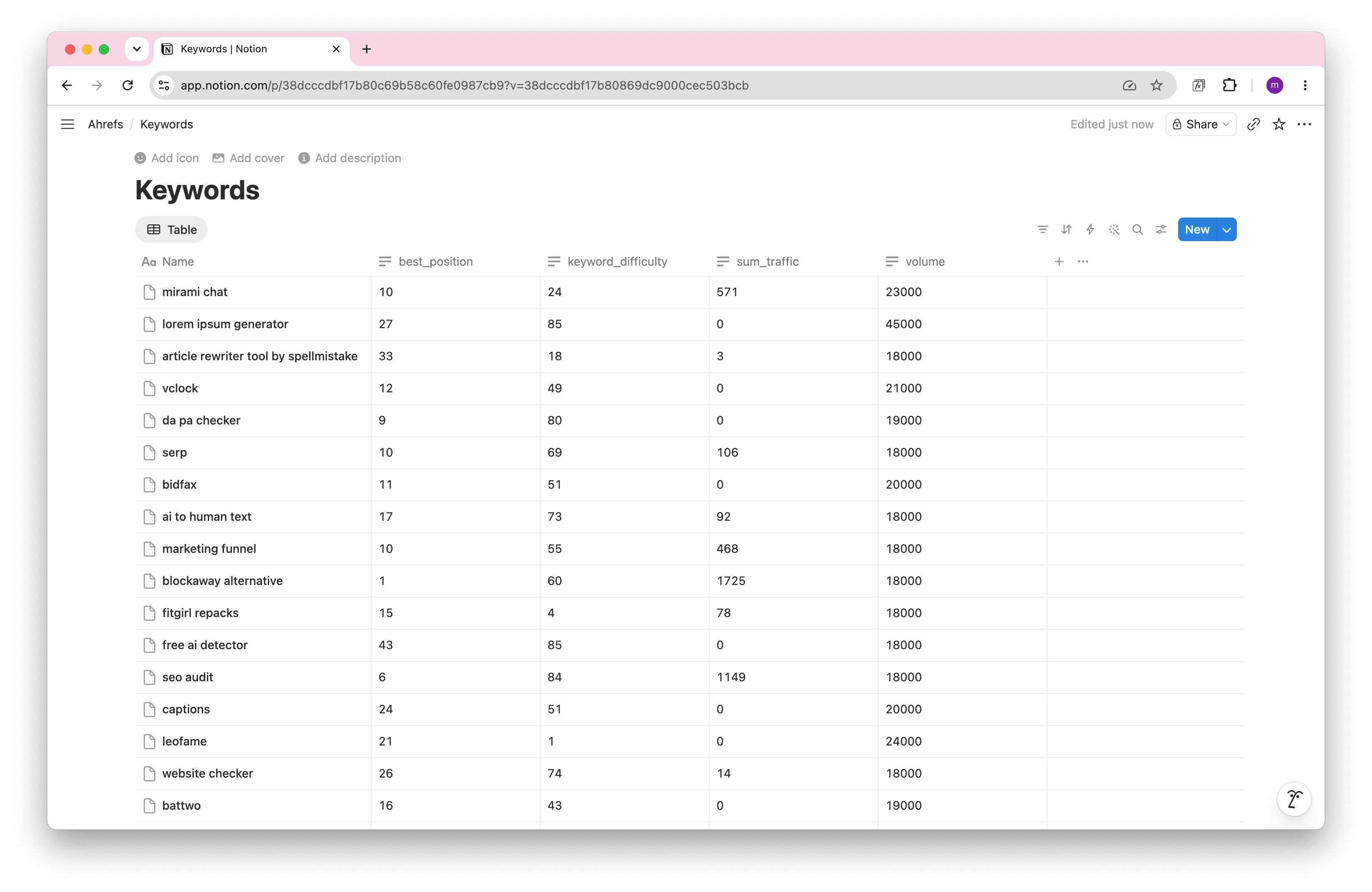
Click Save & Import to write the data into Notion. That’s it — your Ahrefs keywords now live in Notion, ready to filter, sort, and share.
Automate Your Ahrefs–Notion Sync
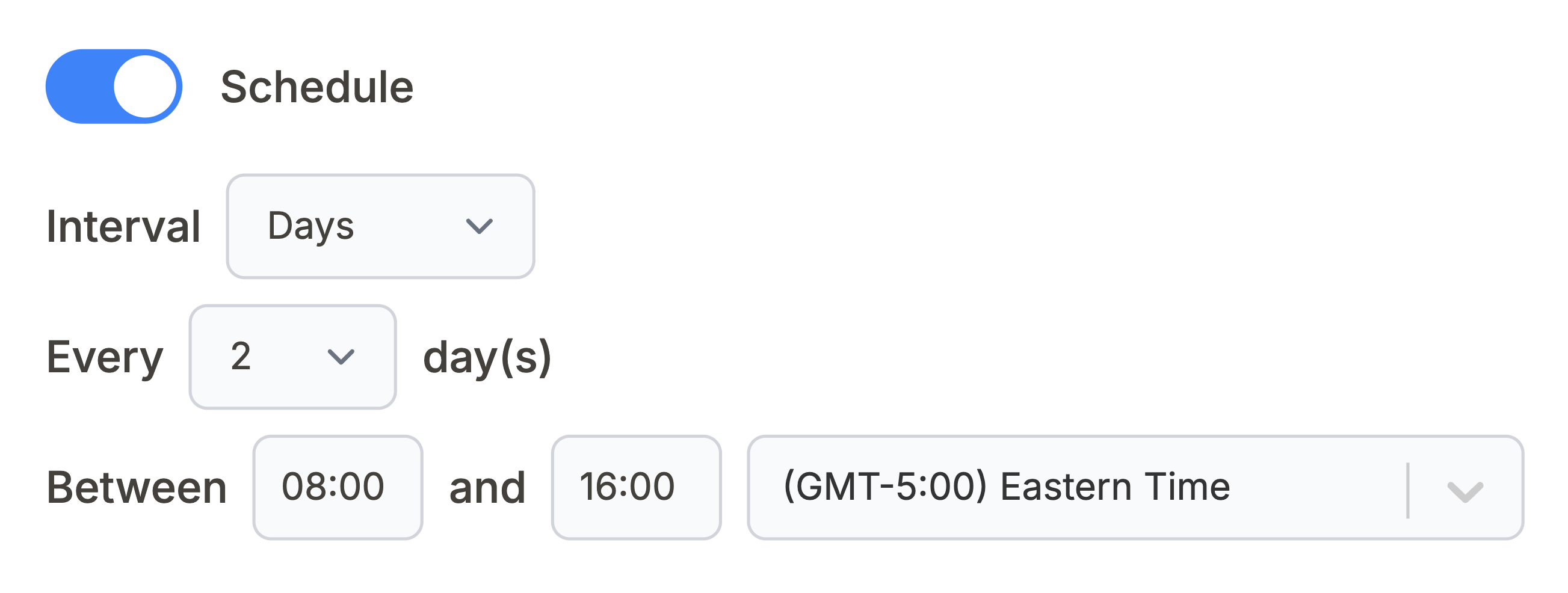
Manually refreshing Ahrefs data in Notion can be time-consuming. With Note API Connector’s scheduling feature , you can automate data updates so your Notion workspace always reflects the latest Ahrefs metrics, without manual work.
Set it to refresh daily, weekly, or at custom intervals so your rank tracker and backlink tables stay current without ever re-running the request by hand.
Ahrefs API URLs you can use
Every Ahrefs endpoint uses the same authentication you set up above:
Authorization: Bearer <your_api_key> with Accept: application/json. Paste any
of these into Note API Connector’s URL field — {TARGET}, {COUNTRY} and
{PROJECT_ID} are placeholders you fill in, and {today} resolves to the current date
automatically:
-
https://api.ahrefs.com/v3/site-explorer/metrics?target={TARGET}&date={today}&output=json— domain KPIs (organic keywords, traffic, value) -
https://api.ahrefs.com/v3/site-explorer/domain-rating?target={TARGET}&date={today}&output=json— Domain Rating (DR) and Ahrefs Rank -
https://api.ahrefs.com/v3/site-explorer/backlinks-stats?target={TARGET}&date={today}&output=json— live and all-time backlink and referring-domain counts -
https://api.ahrefs.com/v3/site-explorer/refdomains?target={TARGET}&mode=domain&date={today}&limit=100&order_by=domain_rating:desc&output=json— referring domains, strongest first -
https://api.ahrefs.com/v3/site-explorer/all-backlinks?target={TARGET}&mode=domain&date={today}&limit=100&output=json— individual backlinks with anchor text -
https://api.ahrefs.com/v3/site-explorer/organic-keywords?target={TARGET}&country={COUNTRY}&date={today}&limit=100&order_by=volume:desc&output=json— keywords a domain ranks for -
https://api.ahrefs.com/v3/site-explorer/top-pages?target={TARGET}&country={COUNTRY}&date={today}&limit=100&order_by=sum_traffic:desc&output=json— highest-traffic pages -
https://api.ahrefs.com/v3/site-audit/page-explorer?project_id={PROJECT_ID}&limit=100&order_by=traffic:desc&output=json— crawled pages from a Site Audit project -
https://api.ahrefs.com/v3/batch-analysis/batch-analysis— compare up to 100 domains at once (POST)
The built-in templates ship with a tuned select= field list for each report, so you only edit
the placeholders. Remember that requests consume Ahrefs API units (a minimum of 50 per call), and the
Backlinks and Organic keywords reports cost more on large sites — keep limit modest.
Conclusion
With Note API Connector, building an Ahrefs Notion integration takes minutes and zero code. Your keyword rankings, backlinks, and domain metrics land in a Notion database your whole team can read, filter, and build on.
Turn that raw Ahrefs data into living dashboards, rank trackers, link-building pipelines, competitor scorecards and let scheduling keep them up to date. No more exporting CSVs or copy-pasting numbers between tabs.
🚀 Ready to centralise your SEO reporting? Try Note API Connector and import Ahrefs data into Notion to give your team a single source of truth.
Frequently Asked Questions
Use Note API Connector: generate an Ahrefs API key in Account settings → API keys, open an Ahrefs template (e.g. Organic keywords), set your {TARGET} and {COUNTRY}, paste your key under Bearer Token, map the response fields to your Notion database, and import.
No. Note API Connector is a no-code tool — you can set up the Ahrefs Notion integration and import data without writing a line of code.
Yes. With automatic scheduling , your requests can refresh hourly, daily, or weekly, so your Notion SEO dashboards always show the latest Ahrefs data.
Ahrefs API access is available on the Lite plan and above; other plans include a limited set of free test queries. Requests consume API units, with a minimum of 50 units per call, so keep your row limits modest on large sites.