Customer.io Notion Integration
Sync Customer.io with Notion automatically - campaigns, segments, and messages always up to date, no coding needed
Free to start. No credit card required.
Trusted worldwide
500+ teams stopped copying data manually.
Yours can too.














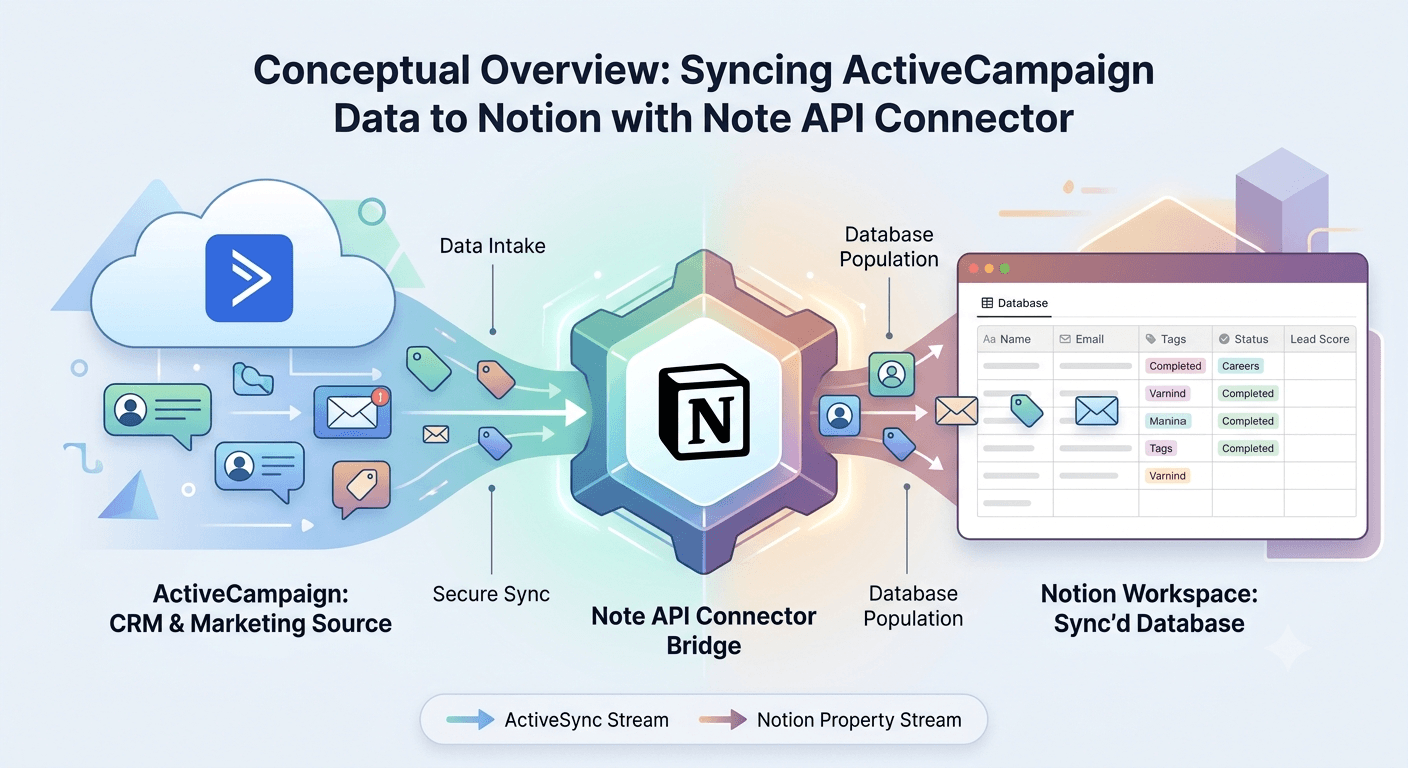
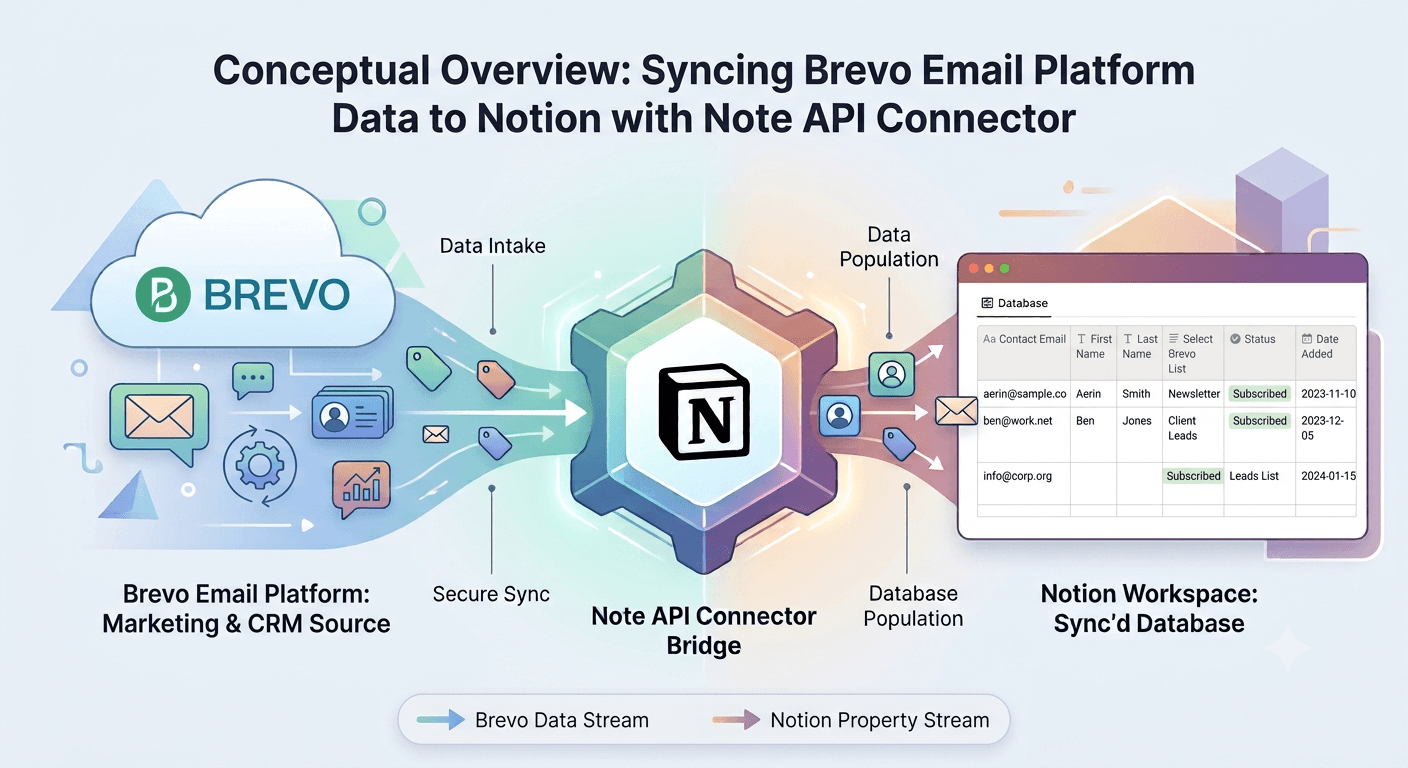
The Customer.io Notion integration lets you pull live customer engagement data directly into your Notion workspace using Note API Connector. Whether you're tracking marketing campaigns, reviewing audience segments, auditing sent messages, or referencing a data collection, this integration keeps your Notion databases in sync with Customer.io automatically.
With Note API Connector you can sync Customer.io with Notion on a fully automated schedule (hourly, daily, or at custom intervals) without writing a single line of code. Connect your Customer.io App API key, choose a Notion database, map the campaign, segment, or message fields visually, and your data flows into Notion on autopilot from that point forward.
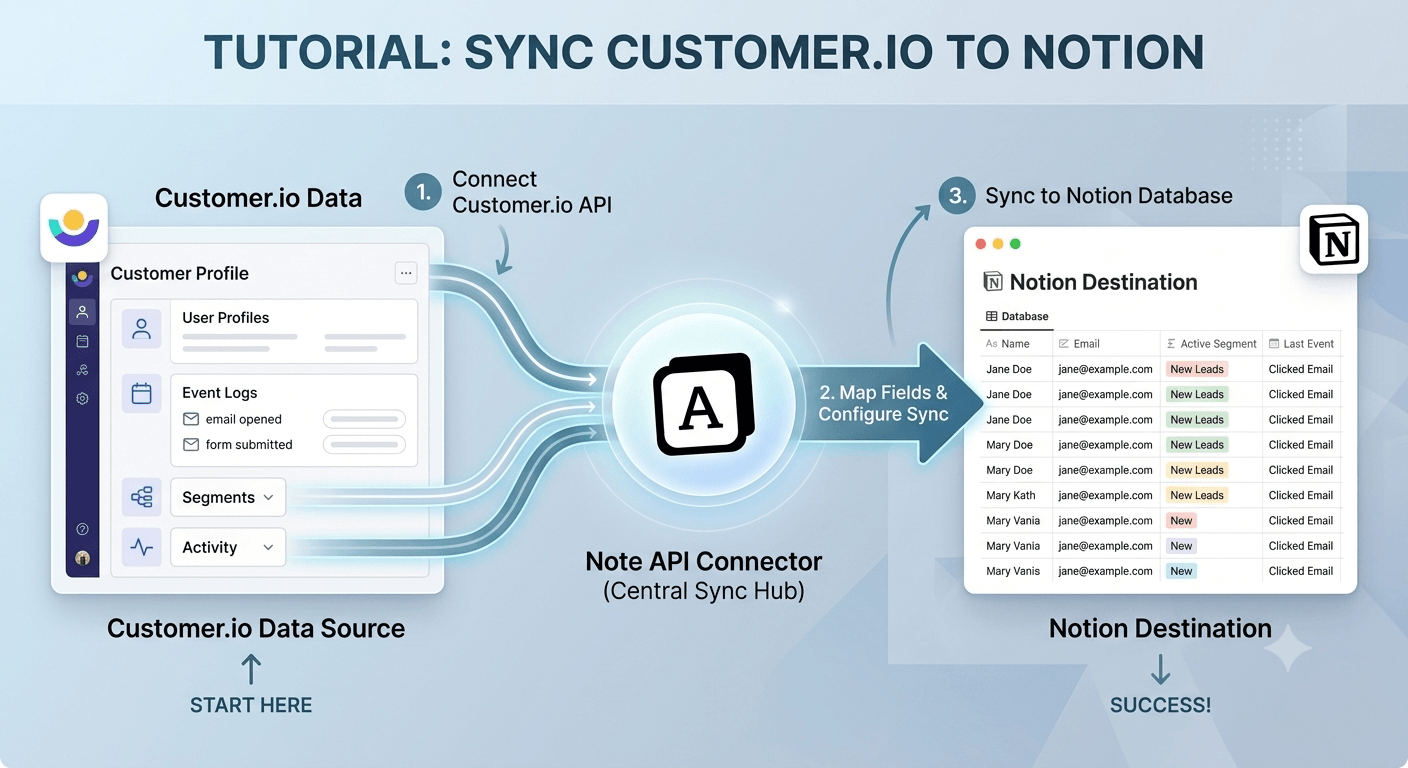
How to connect Customer.io to Notion
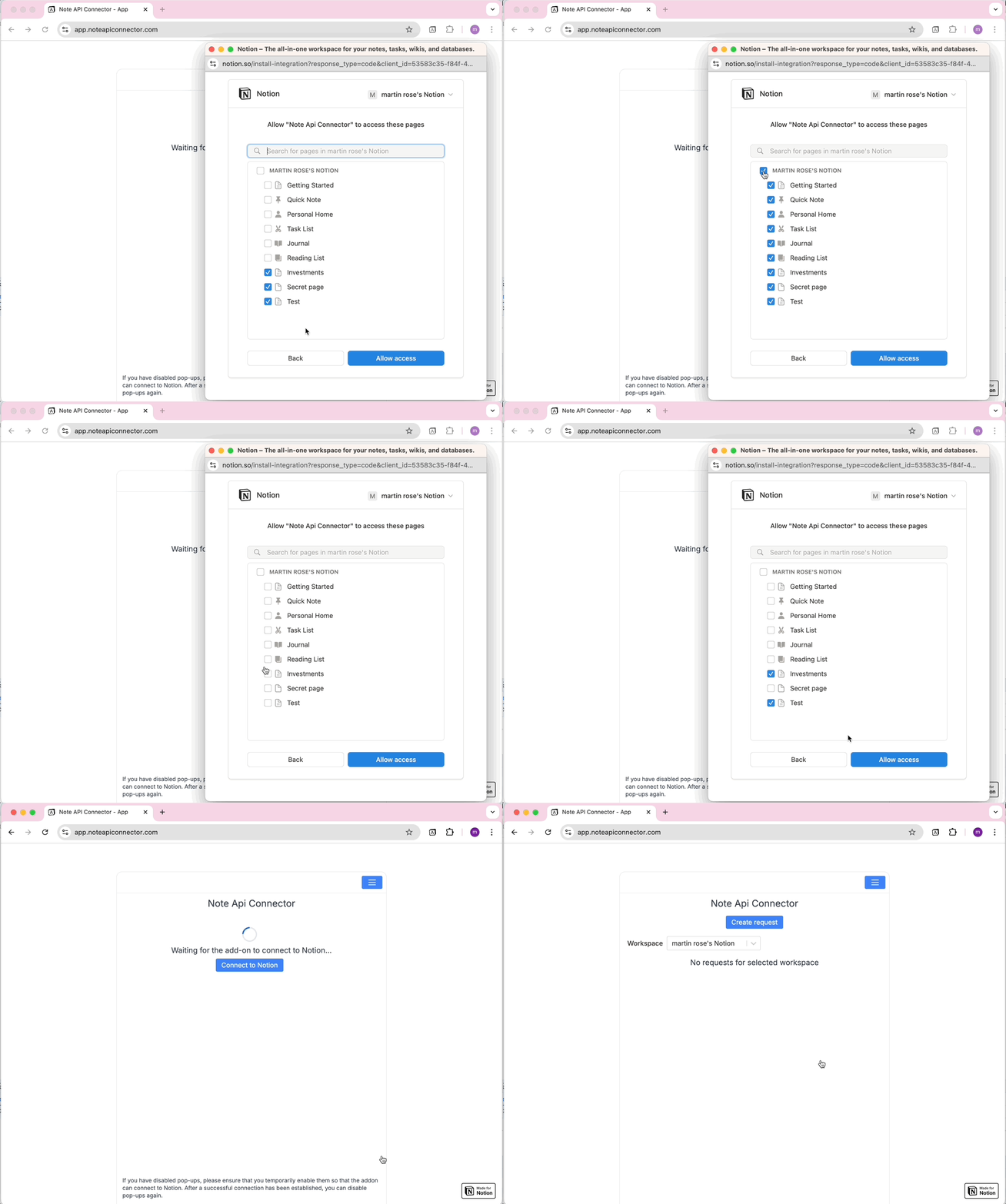
Connect your Notion workspace
Click Connect to Notion, authorize Note API Connector, and select the pages and workspace where your Customer.io data should appear.
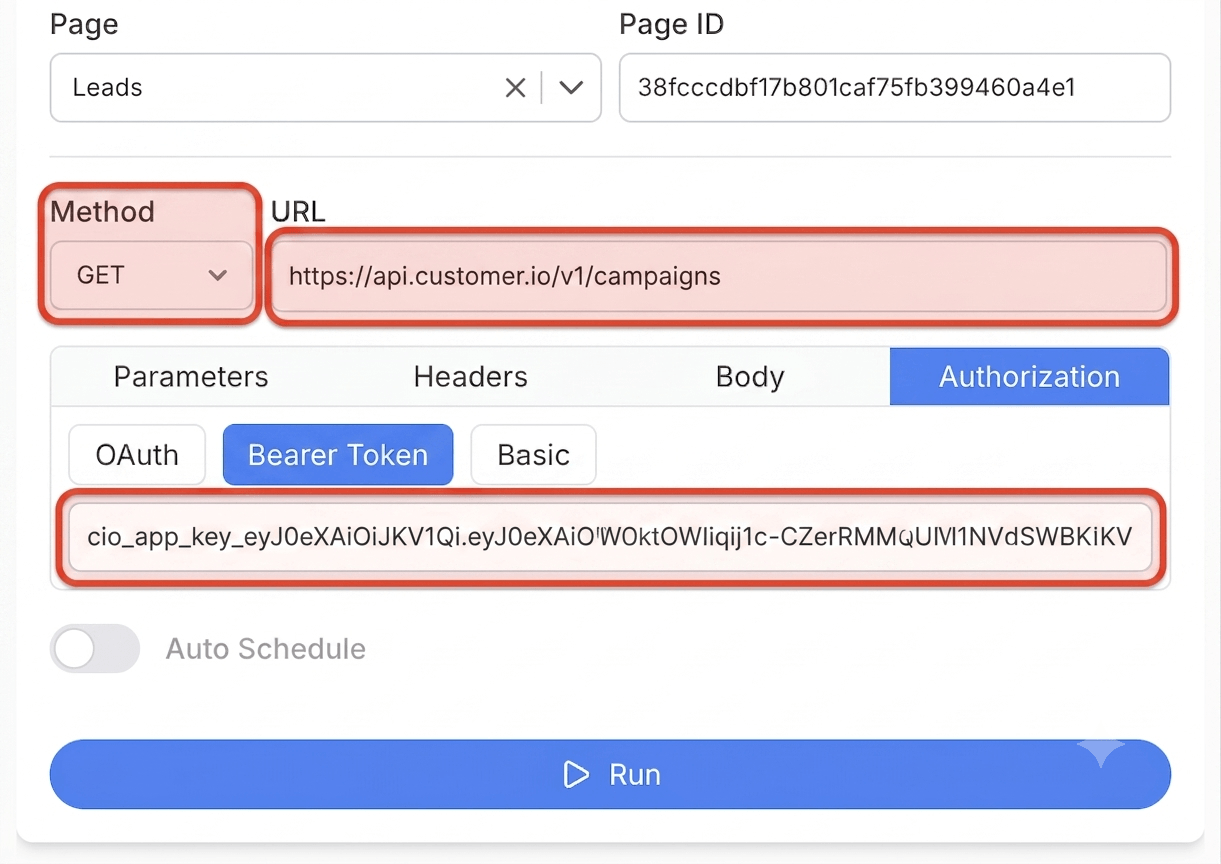
Get your Customer.io App API key and create your request
In Customer.io, go to Settings > Account Settings > API Credentials, open the App API Keys tab, and click Create App API Key. Name the key, select your workspace, grant it read access to the resources you want to sync, and copy the key immediately since it is shown only once. Then click Create Request in Note API Connector, paste your Customer.io App API endpoint URL, for example https://api.customer.io/v1/campaigns, and add your App API key under the Authorization tab as a Bearer Token. Give your request a name, then click Run.
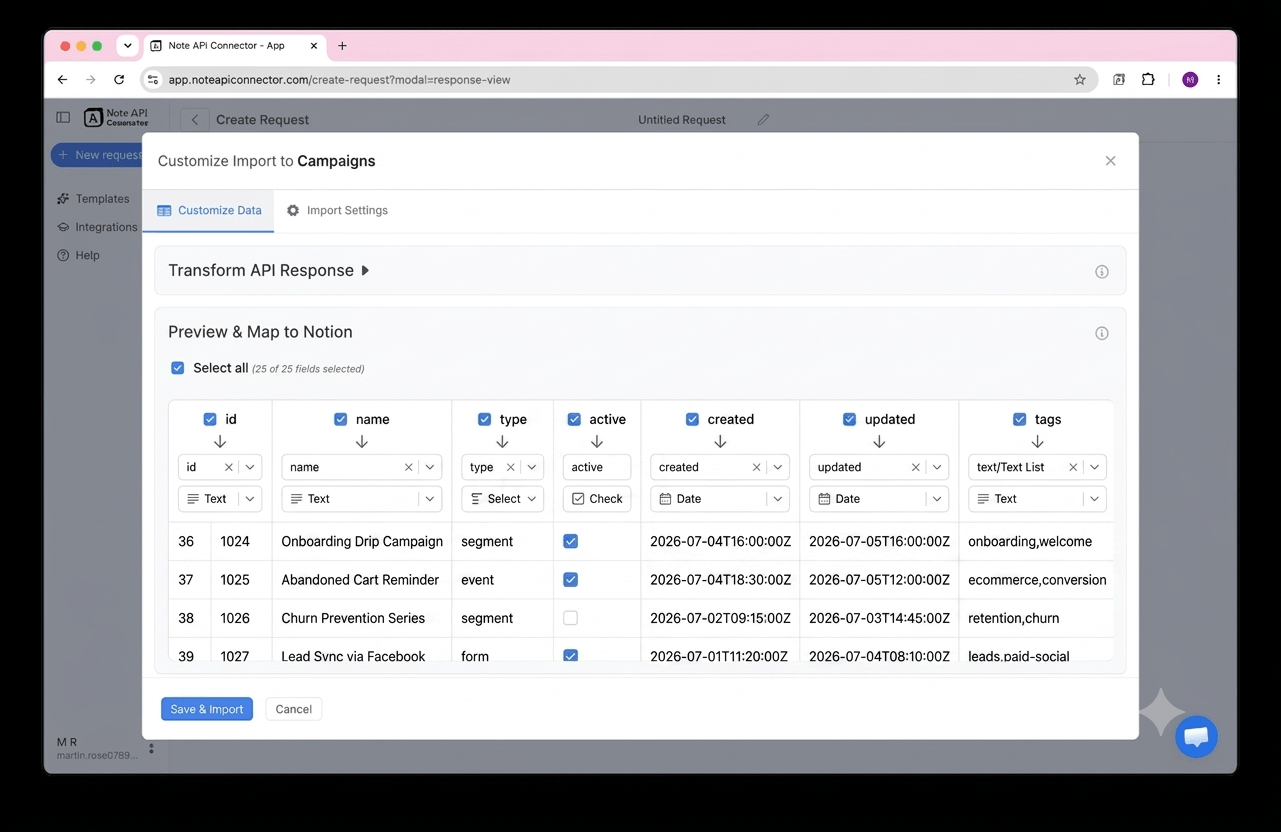
Choose your data and map fields
In the Response Field Mapping screen, select which Customer.io fields to include, such as campaign name, segment name, or message subject and state, and map each one to a Notion property. You can match existing properties, create new ones, or set the field type. Click Save & Import when you're done.
Set your sync schedule and go live
Enable Auto Schedule and choose your refresh interval. Your Customer.io data will sync with Notion automatically from that point forward, with no manual refreshes needed.
⏱ Hourly / Daily / Custom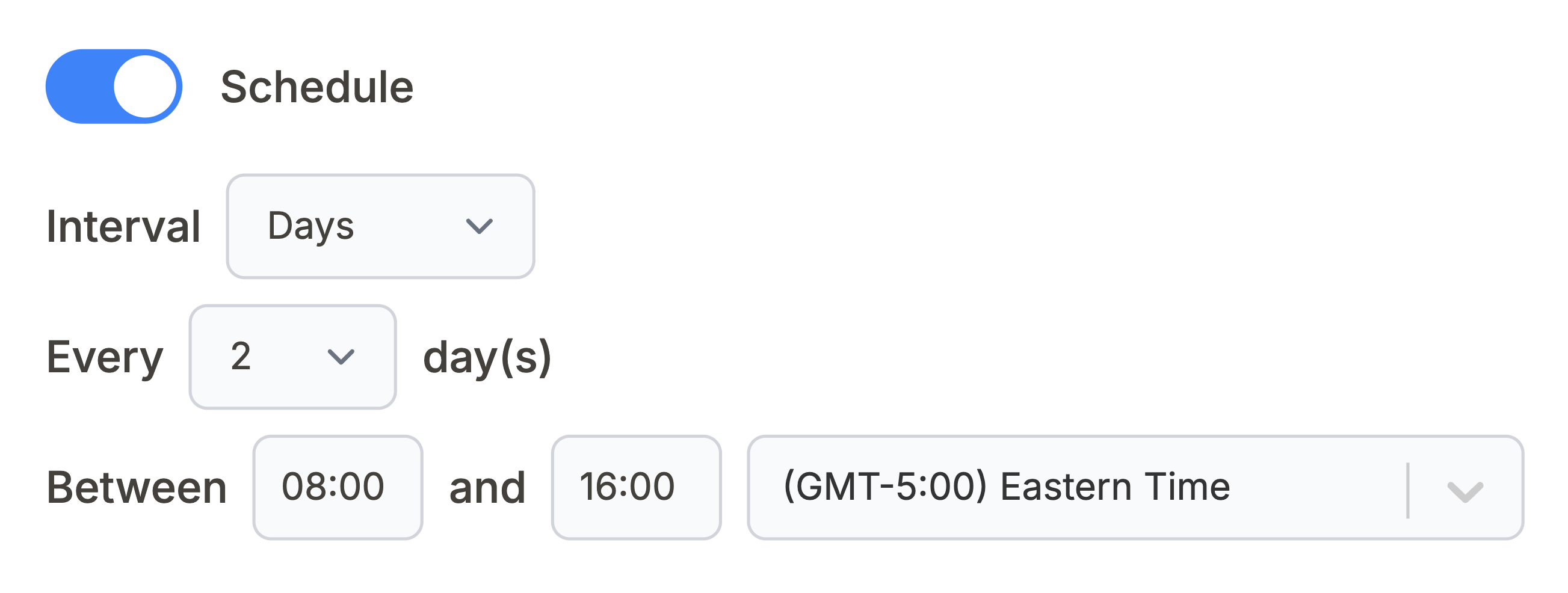
What Customer.io data can you sync with Notion?
Use these Customer.io API endpoints directly in Note API Connector. Each one can be mapped to a separate Notion database.
All campaigns in your workspace with name, id, state, and type. Build a live campaign inventory or marketing calendar inside Notion.
https://api.customer.io/v1/campaigns
All data-driven and manual segments with name, id, and type. Track your audience segmentation strategy inside a Notion database.
https://api.customer.io/v1/segments
Every message sent from your workspace across email, push, SMS, and in-app, with recipient, subject, and delivery state. Build a send log or deliverability tracker inside Notion.
https://api.customer.io/v1/messages
Performance data for one campaign, including sent, opened, clicked, and converted counts. Replace {campaign_id} with the campaign you want to track in Notion.
https://api.customer.io/v1/campaigns/{campaign_id}/metrics
Reusable data collections you upload to Customer.io for personalization, such as product catalogs or pricing tables. Mirror a collection inside Notion for easy reference.
https://api.customer.io/v1/collections
Attribute data for one person, such as email, name, and custom traits. Replace {customer_id} with the person you want to look up in Notion.
https://api.customer.io/v1/customers/{customer_id}/attributes
See how it works
Why sync Customer.io with Notion?
Always up to date
Scheduled sync runs automatically. Your Notion database reflects live Customer.io data without any manual work.
No coding required
Point, click, and map fields. Connect Customer.io to Notion in minutes without any programming knowledge.
Custom schedule
Choose hourly, daily, or custom intervals. You control exactly when Notion pulls fresh data from Customer.io.
Conclusion
With Note API Connector, setting up a complete Customer.io Notion integration takes minutes, not days. Your campaigns, segments, messages, and collections sync automatically into Notion on your chosen schedule, with no code and no manual copy-paste.
Whether you're building a marketing calendar, tracking campaign performance across segments, or giving your team a shared view of what messages are going out, connecting Customer.io to Notion gives you the flexibility of Notion's interface with the real-time accuracy of Customer.io's data.
Frequently Asked Questions
Yes. Customer.io provides an App API that exposes campaigns, segments, messages, collections, and individual person attributes. Note API Connector connects to this App API directly, using your App API key, to pull your Customer.io data into Notion on a scheduled basis.
In Customer.io, go to Settings, then Account Settings, then API Credentials, open the App API Keys tab, and create a new App API key with read access. In Note API Connector, connect your Notion workspace, click Create Request, paste a Customer.io App API endpoint such as https://api.customer.io/v1/campaigns, add the key under Bearer Token authorization, select your Notion database, map the fields visually, and run the import.
Yes. Enable Auto Schedule in Note API Connector and choose your refresh interval: hourly, daily, or custom. Your Customer.io data will sync with Notion automatically on that schedule with no manual action required.
No. Note API Connector is a no-code tool. You paste your Customer.io App API endpoint URL, add your App API key as a Bearer Token, select your Notion database, and map fields visually using the response field mapping view. No programming knowledge is needed.
You can sync campaigns, segments, sent messages, and data collections directly, since each of those endpoints returns a full list for your workspace. Customer.io does not expose a single endpoint that lists every person, so individual person attributes are looked up one customer id at a time and work best mapped from a segment or message record you already have in Notion.
It depends on your Customer.io account region. Workspaces on the US data center use https://api.customer.io/v1, while workspaces on the EU data center use https://api-eu.customer.io/v1. You can check your account region in Customer.io under Account Settings, then use the matching base URL when you create your request in Note API Connector.
Yes. Note API Connector connects to Customer.io using an App API key that you scope to read-only access when you create it. Your credentials are never stored on our servers, and Note API Connector never writes or modifies any data in your Customer.io workspace.