How to Get the Start and End of a Week from Any Date in Notion
When building calendar systems, planning workflows, or reporting databases in Notion, it’s often necessary to calculate the start and end dates of a week from any given date. Unfortunately, Notion doesn’t provide a built-in function for this.
The good news is that a Notion week start end formula can solve this problem reliably for any date, regardless of year, month, or weekday.
In this guide, you’ll learn how to calculate weekly date ranges in Notion using dynamic logic that works consistently across all dates.
Why You Need a Notion Week Start End Formula
Weekly ranges are essential when working with structured time-based data.
- Weekly planning and reviews
- Custom calendar databases
- Time tracking and reporting
- Connecting daily entries to weekly summaries
- Consistent week-based naming conventions
Without a formula, week boundaries must be entered manually—leading to errors and inconsistency.
Why Naive Week Calculations Fail
A common mistake is hardcoding offsets like “subtract 2 days” or “add 4 days.” This only works for specific weekdays.
For example, a formula that works on a Tuesday will fail on a Saturday or Sunday. To calculate weeks correctly, Notion must first determine the weekday dynamically.
How Week Calculations Work in Notion
Notion allows us to extract the weekday number from a date using:
toNumber(formatDate(prop("Date"), "d"))
Weekday Mapping in Notion
- Sunday → 0
- Monday → 1
- Tuesday → 2
- Wednesday → 3
- Thursday → 4
- Friday → 5
- Saturday → 6
Once we know the weekday number, we can subtract that many days to reach the beginning of the week.
Formula: Start of the Week (Sunday-Based)
dateSubtract(
  prop("Date"),
  toNumber(formatDate(prop("Date"), "d")),
  "days"
)
This formula always returns the Sunday of the week, regardless of which day you start from.
Formula: End of the Week
dateAdd(
  dateSubtract(
    prop("Date"),
    toNumber(formatDate(prop("Date"), "d")),
    "days"
  ),
  6,
  "days"
)
This calculates the Saturday of the same week.
Final Formula: Display Start and End of Week
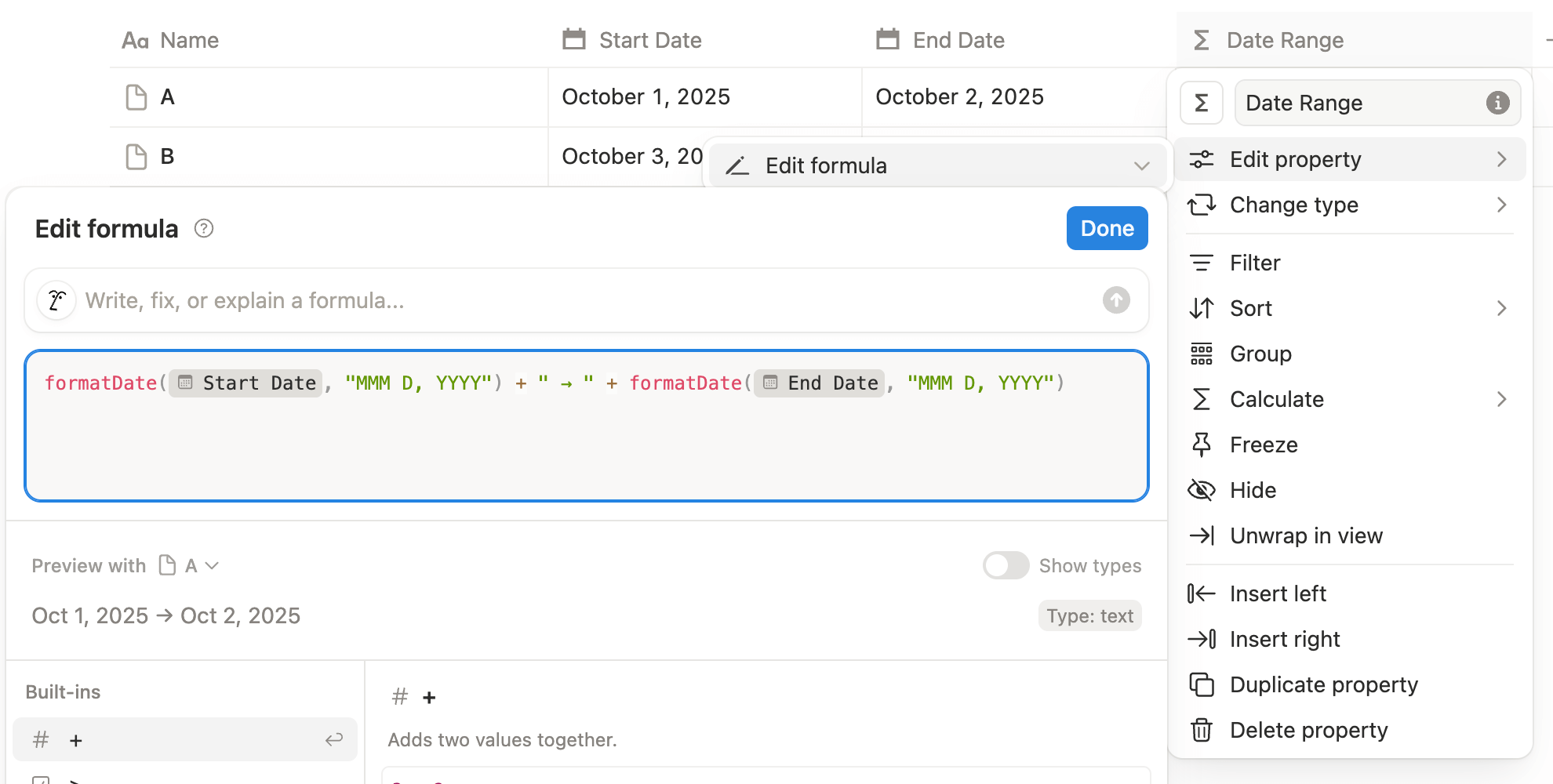
To display a readable weekly range like: August 15, 2021 – August 21, 2021, use the formula below.
formatDate(
  dateSubtract(
    prop("Date"),
    toNumber(formatDate(prop("Date"), "d")),
    "days"
  ),
  "MMMM D, YYYY"
)
+ " - " +
formatDate(
  dateAdd(
    dateSubtract(
      prop("Date"),
      toNumber(formatDate(prop("Date"), "d")),
      "days"
    ),
    6,
    "days"
  ),
  "MMMM D, YYYY"
)
Example
Input date: February 4, 1995
Output:
January 29, 1995 – February 4, 1995
This works for every date—past, present, or future.
Monday-Based Week (Optional)
If your weeks start on Monday, adjust the weekday offset:
dateSubtract(
  prop("Date"),
  mod(toNumber(formatDate(prop("Date"), "d")) + 6, 7),
  "days"
)
Then add 6 days to calculate the end of the week.
Common Use Cases
- Day → week calendar systems
- Weekly rollups and summaries
- Planning dashboards
- Time tracking databases
- Custom week-based naming conventions
Final Thoughts
A Notion week start end formula is essential for any serious calendar or planning system. By calculating week boundaries dynamically, you ensure accuracy, consistency, and scalability across your entire workspace.
Once implemented, this formula becomes a foundation for weeks, months, quarters, and full calendar architectures in Notion.
Frequently Asked Questions
A Notion week start end formula calculates the first and last day of a week from any given date using dateAdd() and dateSubtract().
Yes. While Notion has no built-in week range function, formulas can generate weekly start and end dates dynamically.
Yes. This approach is ideal for large calendar databases with days, weeks, months, quarters, and years.
Yes. You can adjust the subtraction and addition logic to align with Monday-based weeks.